Creating an account right after checking out
To create an account immediately after checking out, select "Create an account or sign in" from the order confirmation screen:

If you don't create an account, we'll send any order updates to the email address you provided at checkout.
Why create an account?
Creating an account has a number of benefits, including:
All your orders in one place for easy access.
More detailed order status updates.
Self-service features such as canceling items yourself.
SMS order updates and fulfillment tracking banners.
The option to reorder the same design later.
Linking an order to your account later
If you placed your order as a guest, you can connect it to your account at any time.
To do so, follow the steps below:
Sign in to your VistaPrint account.
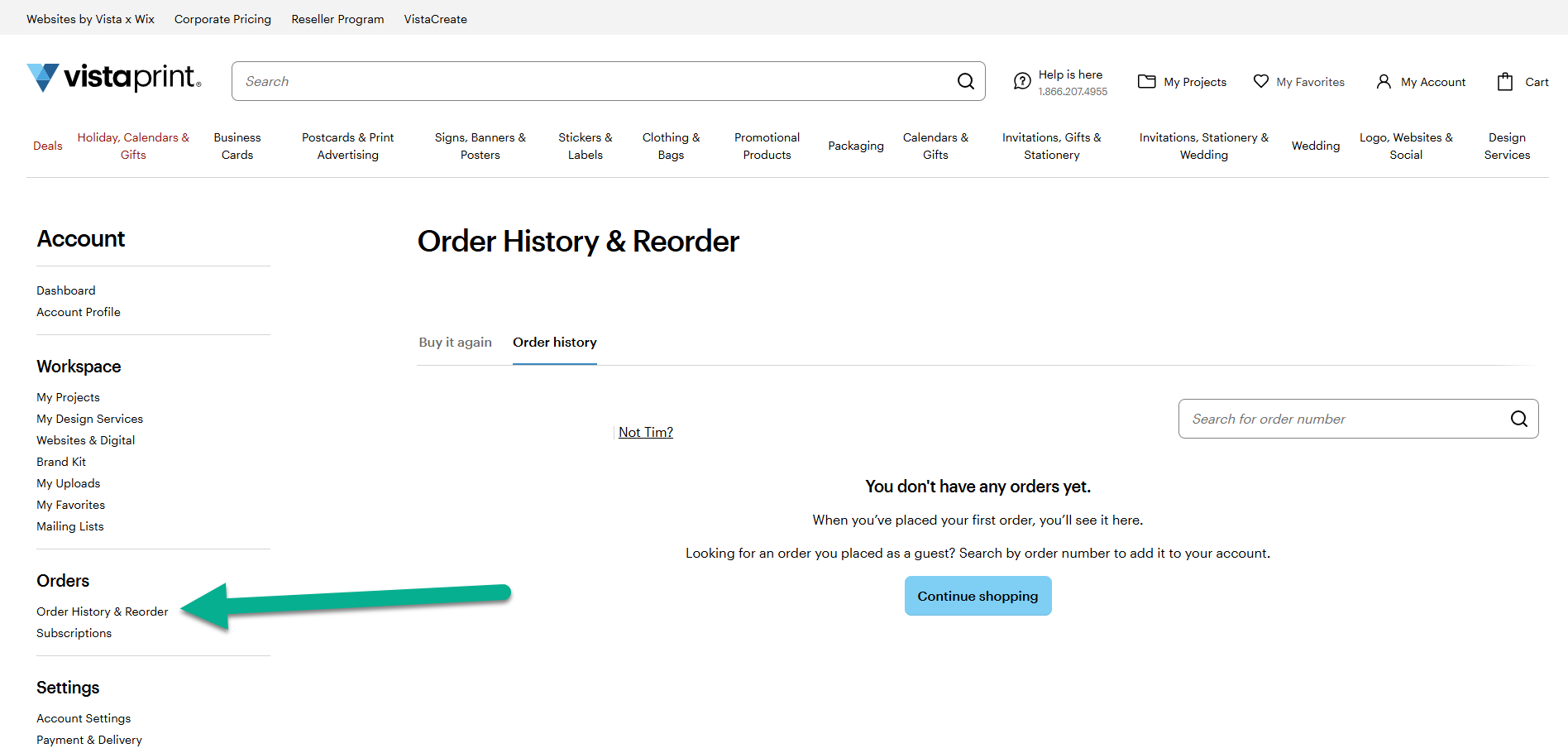
Go to My Account and then to Order History & Reorder.
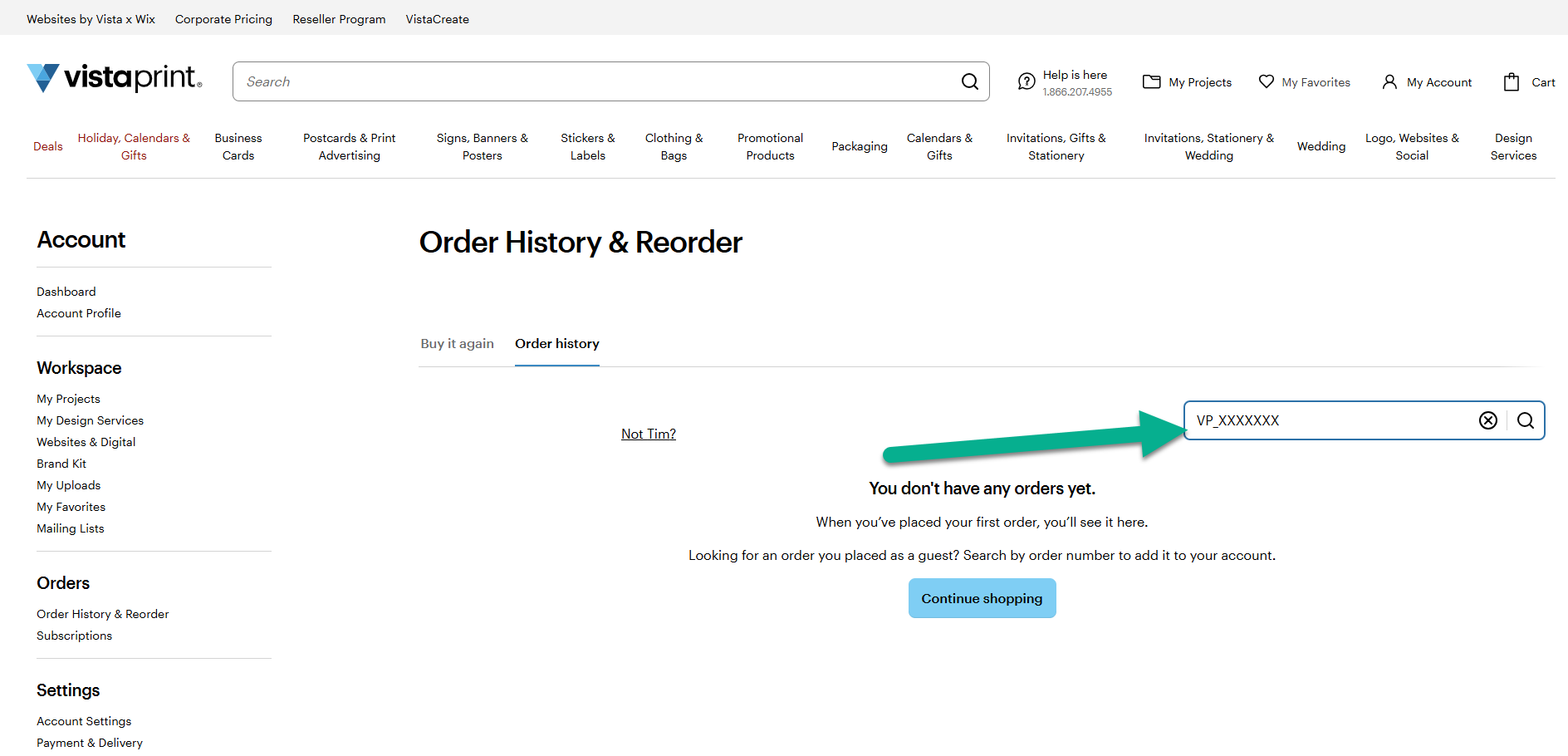
Search for the order number. You can find your order number in your confirmation email.
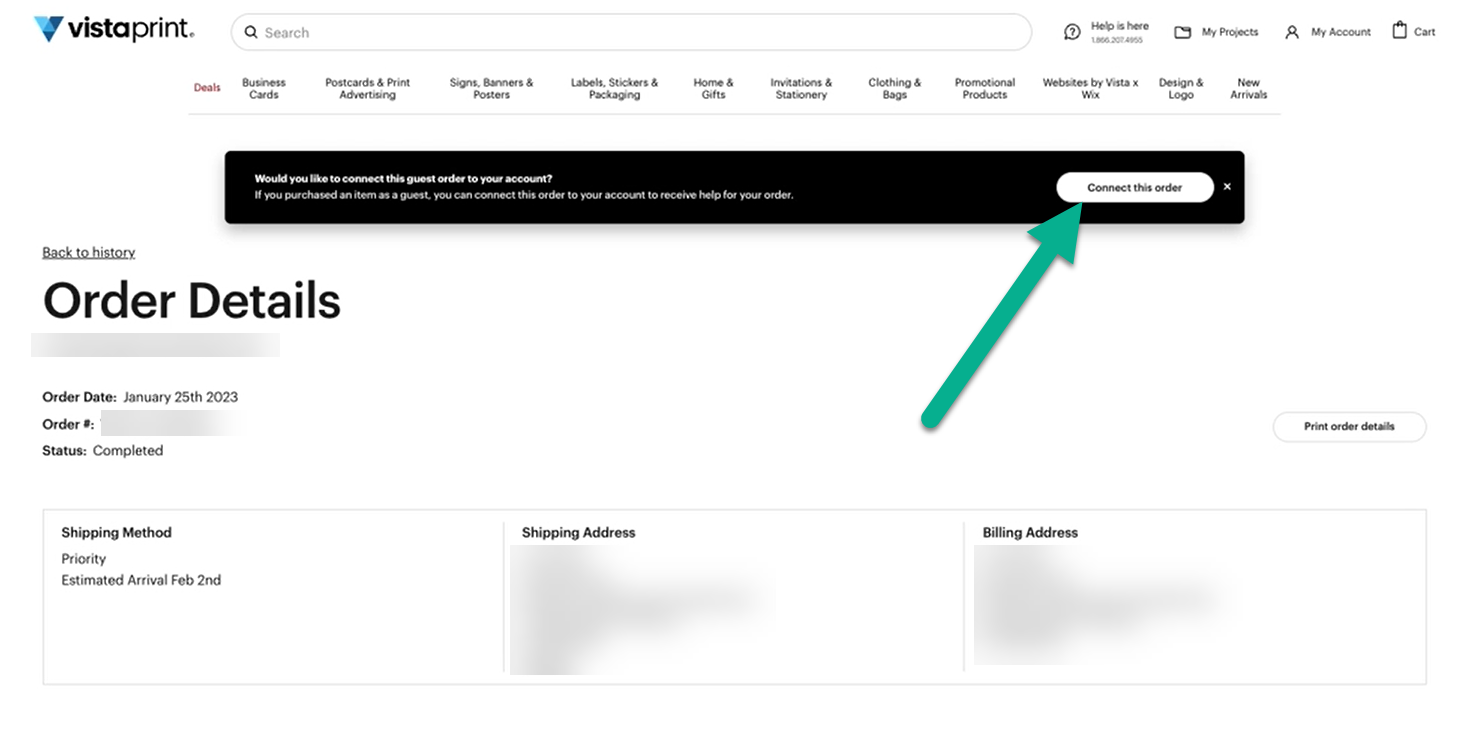
If we find an order with the order number and your email address, the order details will be shown. Select "Connect this order" to add the order to your account.
When you connect the order to your account, you'll find it in your order history.