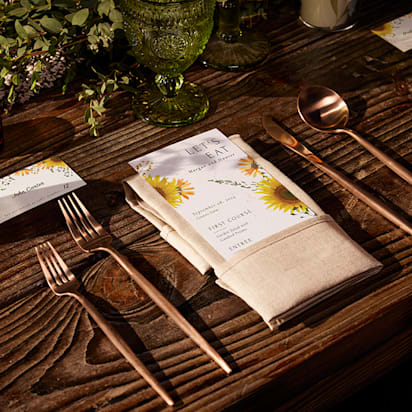
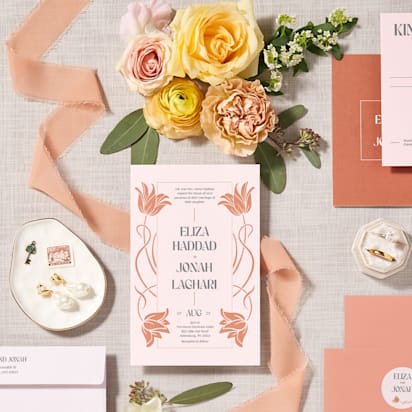
In the digital age, a wedding website is a necessity, serving as a central hub for the details and communications for your special day. As couples navigate the complex wedding planning process, a website can streamline communication, provide essential information and enhance the excitement in the run-up to the day.
A well-crafted wedding website can help you share your love story, manage RSVPs or provide updates and directions for guests. The beauty of this digital companion lies in its ability to simplify logistics and add a personal touch to your wedding communications.
And the best part? You don’t need to be a tech wizard to make it happen. This guide is designed to save you time and stress by showing you how to make a website, exactly what to publish first, what to add later and how to use your site to cut down on guest questions. We break down the process into clear, manageable steps, show you how to avoid common mistakes couples regret and how to update the site as your plans firm up. Let’s get started.
- Start making your wedding website soon after you set a date, then publish it when you send save-the-dates.
- Post version 1 with the essentials first, then add details as they’re confirmed.
- Include must-have pages like RSVP, schedule, travel, registry and FAQs to reduce repeat guest questions.
- Prioritize privacy, mobile usability and accessibility so guests can quickly find info on any device.
- Match your website design and wording to your printed stationery and share the URL with a QR code for easy access.

1. Develop your wedding branding
Wedding branding isn’t just about logos or visual identity – it’s about crafting designs that express who you are through every pixel and print.
Use a few words to describe the vibe, energy or experience you want to create for your wedding day. Figuring out these words will help guide the rest of your planning. Every time you make a decision, go back to these initial words and make sure it aligns with what you’re wanting.– Bryan Striegler, wedding photographer
Kick things off by deciding the overall feel of your wedding. Perhaps you’re channeling timeless elegance, modern sophistication or planning a laid-back rustic affair. This is also where you set yourself up for smooth print and digital coordination: the same tone, colors and phrasing can carry across your website and printed pieces so guests recognize the information instantly.
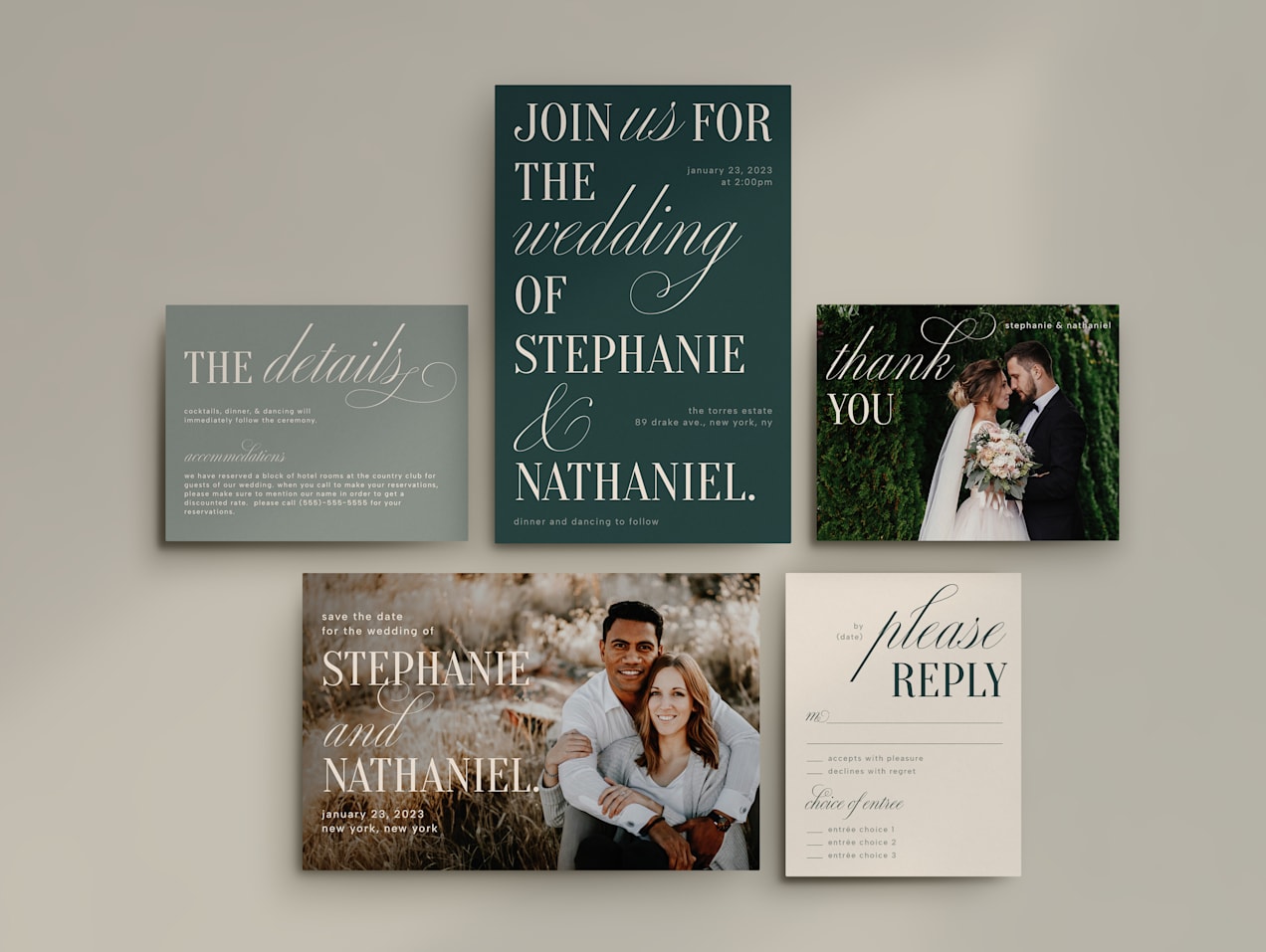
When considering wedding website ideas, think about the small but mighty details, like fonts and color palette. Then consider which images you want to feature on your site, from logos and family crests to monograms and couple photographs.
If the thought of picking the right shade of blue or finding a font that says “forever” is overwhelming, consider hiring a graphic designer who will design a bespoke wedding logo that embodies your romance, helping you to create a visual narrative. This way, every element of your wedding will feel interconnected and intentional.

2. Curate content for your wedding website
The scope and depth of the information you provide on your wedding site hinges on what you want it to achieve. Is it a simple digital bulletin for schedules, locations and instructions? Or a captivating preview of a destination wedding that informs guests about the location as much as your union?
Clarifying the content early on is crucial as it shapes the structure of your website, how many pages you’ll need and what each one will feature. Here’s a streamlined rundown of typical content you might want to include:
- Date and time: The when and where of your wedding day.
- Your story: Introduce yourselves and your journey as a couple.
- Venue details: Where everything will happen, with directions and tips.
- Day-of itinerary: A breakdown of events to keep everyone in sync.
- Gift preferences: Directing guests to your registry or suggesting preferred gifts.
- Dress code: Guidelines on attire and any other policies to ensure everyone looks the part.
- Visual memories: A gallery of photos from your relationship, engagement or pre-wedding celebrations.
- RSVP: A simple way for guests to confirm their attendance.
A practical way to reduce stress is to publish in phases: start with the essentials like date, city, RSVP and travel basics, then add finer details like timeline, transportation and menu notes once they’re locked. If something isn’t final, it’s okay to say so; guests appreciate clarity more than perfection.
Showcase your engagement photos on your wedding website. And outside of the traditional posed portraits, incorporate your story into these images to give a personal touch to your site.– Charles Moll, wedding photographer

Source: Wedding website design by TidoKa via 99designs by Vista
When you’re thinking about what imagery to include on the site, wedding photographer Charles Moll advises, “Do you have a favorite date night spot or activity? Tie this into your imagery. One of the best engagement sessions I ever photographed featured the couple fly fishing.”
Moll explains, “During the end of our session, they changed into their waders and spent some time fishing, while I photographed them doing something they love. These were hands down their favorite photos in their gallery and created very personal imagery on their wedding website.”
Thinking through, organizing and tailoring this content to make it uniquely yours also creates a useful resource for guests and gets them excited for the upcoming festivities.
3. Figure out which website features you need
When crafting your wedding website, it’s essential to consider how interactive it will be as well as what information it will display. This is where the functionality of your website comes into play. What actions do you envision your guests taking beyond reading the information?
The interactive features you choose, like QR code functionality, can greatly enhance the user experience. Early decisions on these functionalities are crucial as they can affect the development timeline, privacy, security and the budget.
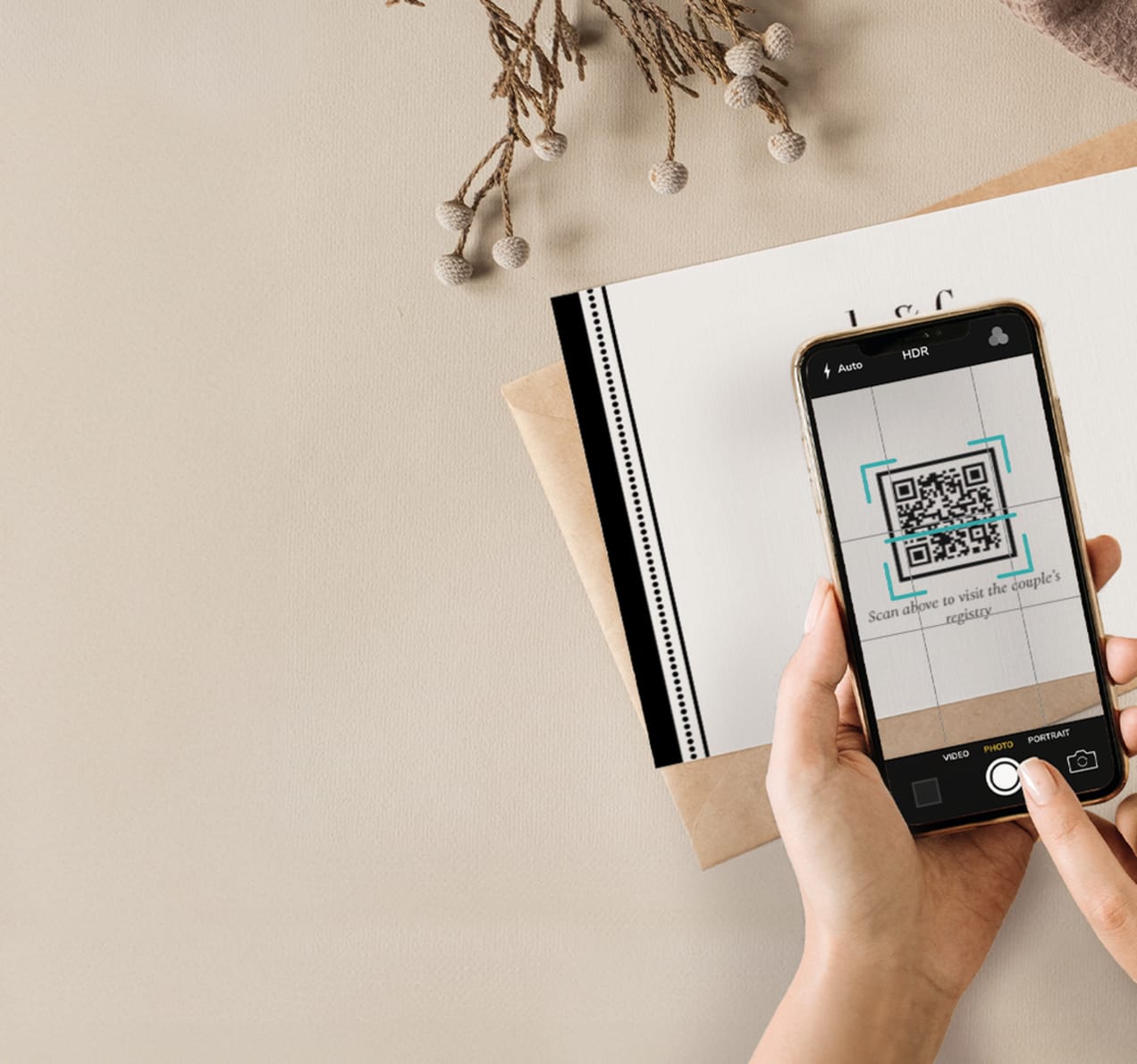
Common functionalities you might consider including on your wedding website:
- Registry integration: Allows guests to view, select and buy gifts directly through your site.
- Map integration: Helps guests locate your venues easily with interactive maps.
- Social media features: Enables content sharing or event updates through platforms like Instagram or Facebook.
- Email sign-up: Sends out updates or changes to the schedule directly to your guests’ inboxes.
- Password protection: Keeps your wedding details private and accessible only to invitees.
- Guestbook: Provides a space for guests to leave personal notes, well-wishes and thank-yous.
- Event calendar: Helps guests keep track of important wedding-related dates and times.
- Photo uploader: Allows guests to share their photos from the event, creating a collaborative album.
The right mix of these features ensures your website is not only informative but also engaging, making it a dynamic part of your wedding preparation and celebration. For privacy and security, many couples choose password protection and limit what’s visible until invitations go out.
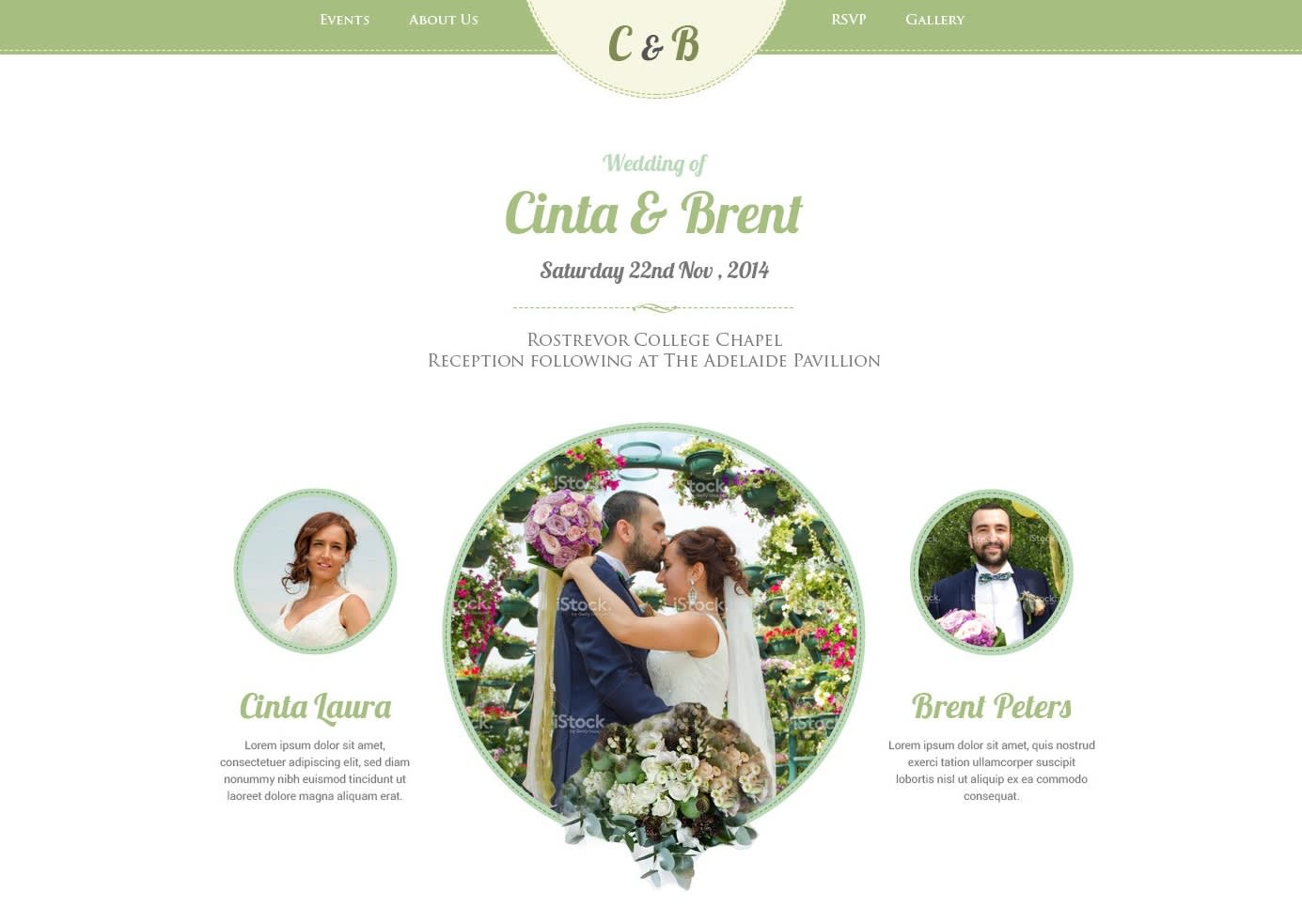
Source: Wedding website design by Mahesa Kama via 99designs by Vista
4. Decide which web design route you want to take
When it comes to creating your wedding website, you have two paths to choose from: dive into the do-it-yourself route using online tools or enlist the expertise of professional website designers and developers. Each option has its own set of advantages and drawbacks.
DIY with online website builders
While partnering with professional designers and developers is an option, online website builders like Vista x Wix offer an accessible, cost-effective solution. These platforms provide the tools to make an aesthetically pleasing, customized website that captures the essence of your special day with minimal fuss and expenditure. They also make it easier to keep your wedding theme consistent, so your website, invitations, wording and day-of items feel like one cohesive set.
Pros:
- Cost-effective: Many website builders are relatively inexpensive or even free.
- User-friendly: These tools are designed with non-technical users in mind and, therefore, easy to navigate.
- Speed: You can set up and publish a site quickly, often within a day.
Cons:
- Time investment: While the tools are easy to use, you still need to invest time in building the site yourself.
- Generic designs: Using a template can sometimes result in a website that lacks individuality.
- Limited functionality: Basic plans may have limitations requiring additional feature upgrades.
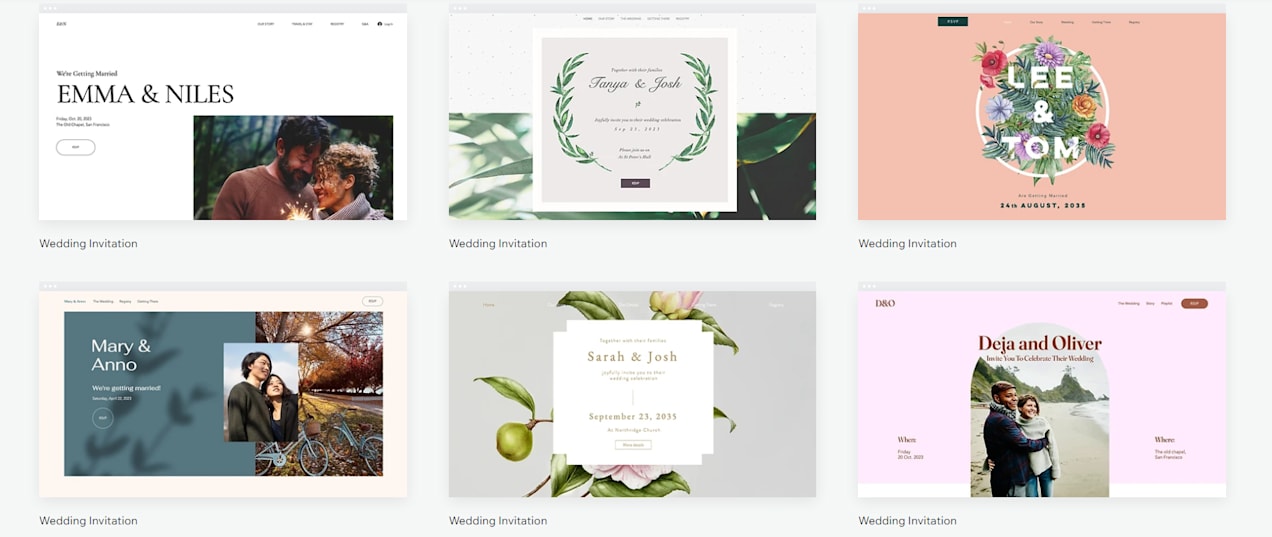
Source: Wedding website design examples via Wix
Partner with designers or developers
For those who prefer a custom approach, partnering with design and development professionals can yield a unique website tailored specifically to your needs. This method involves more complexity and usually a higher budget but can result in a more bespoke online presence.
Pros:
- Unique design: Tailored to your wedding style, a professionally designed website offers a more distinctive look.
- Advanced functionality: Professionals can integrate a wider range of features than most templates offer.
- Time-efficient: Handing over the technical challenges to experts frees you to focus on other wedding preparations.
Cons:
- Cost: Professional wedding websites are generally more expensive, with projects starting around $800 and increasing based on complexity.
- Time to develop: Custom sites take weeks to months to build – significantly longer than using a template.
- Maintenance: Updates or changes might require additional help from a paid professional.
When working with designers and developers, the design brief needs to be clear and detailed. The success of the project hinges on how well you communicate your vision, preferences and functionality needs. Taking time to create a detailed brief ensures that they fully understand what you’re looking for, reducing revisions and aligning the final product closer to your expectations.
Ultimately, the decision between DIY and professional website creation depends on your budget, technical abilities and how personalized you want your wedding website to be. Each route offers different benefits, so consider what’s most important to you and your special day.

Source: Wedding website design by CCDesignSol via 99designs by Vista
5. Design your wedding website
If you decide to hire professionals to create your wedding website, they will handle most of the design and functionality, allowing you to focus on other aspects of wedding planning. However, it’s still important to have a basic understanding of web design principles to effectively communicate your vision and evaluate the work during the feedback and revision stages.
Your wedding website should achieve two main goals:
- It should be a user-friendly resource for your guests, providing easy access to essential information such as the event schedule, directions and food options. A minimalist design with ample white space and a clear visual hierarchy can help achieve this clarity and ease of use. To support accessibility, use legible font sizes, descriptive link text and image alt text when your platform supports it.
- The website should excite and engage your guests, building anticipation for the big day. This can be accomplished through vibrant colors as well as rounded fonts that suggest a festive, joyful atmosphere. For a more subdued approach, neutral tones with sophisticated script fonts can add a touch of elegance.
For the DIY wedding planners out there, if you decide to make the website yourself using no-code website builders, a solid grasp of the latest web design trends and best practices is crucial for creating an attractive and functional site.
Learn more about web design from our ultimate guide to creating a website and website layout guides.
6. Launch your website and share the link with your guests
After making your wedding website, the next step is to launch it online. Start by securing a unique domain and hosting, available through services like GoDaddy or directly via the website builder platform you used. Once your domain and hosting are set up, link the two – a task your developer or hosting support can assist with.
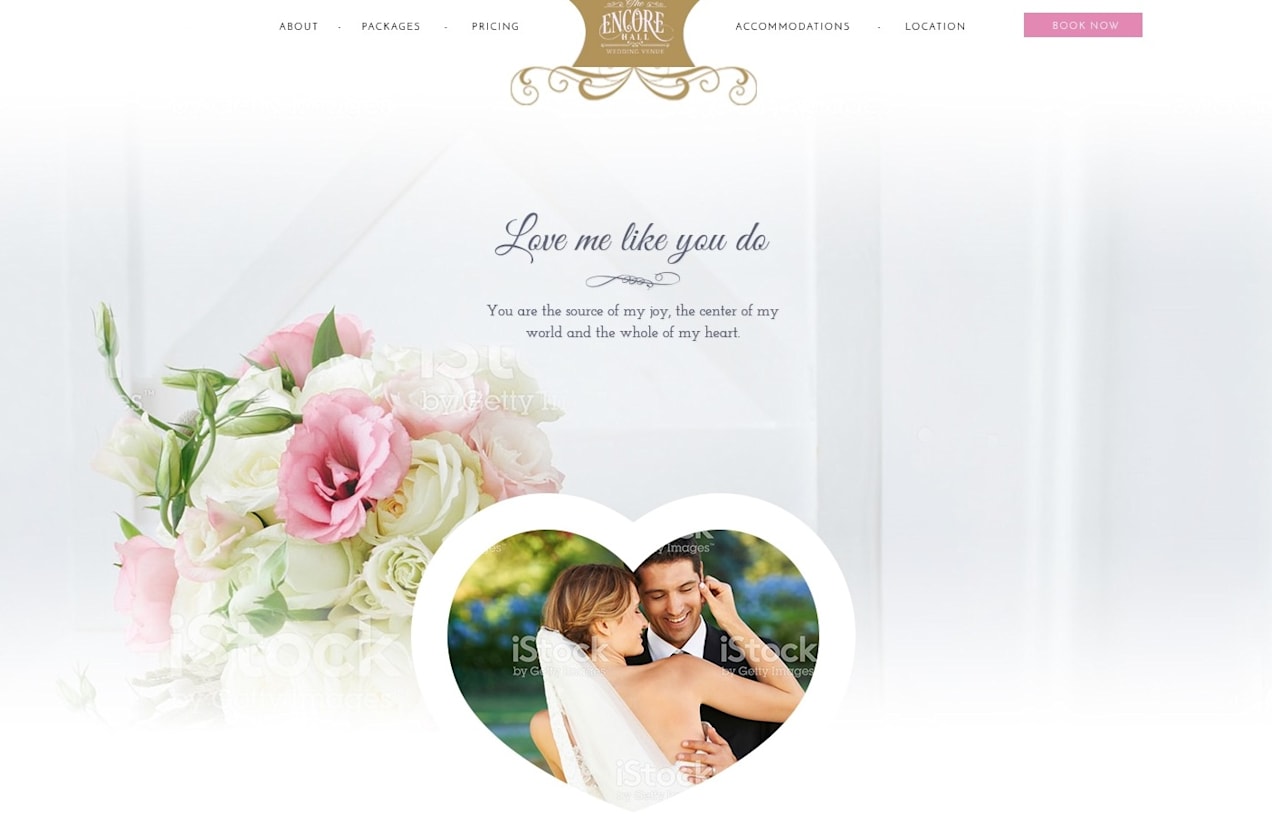
Source: Wedding website design by Gabriel Vasile via 99designs by Vista
To ensure everything displays correctly and all interactive features work, test your wedding website across different browsers and devices, particularly phones, before making it public. A good content management system (CMS) like WordPress can easily help you make necessary adjustments.
With these steps completed, you’re ready to share your website with your guests, providing them with all the essential details about your wedding. To bridge print and digital, include your URL on save the dates and invitations and consider adding a QR code so guests can access the site instantly.
Ready to make a stunning wedding website?
Creating a wedding website is a practical and engaging way to support your journey to the altar. We’ve outlined six straightforward steps to guide you through the process, from establishing your wedding’s unique brand and curating content that resonates with your guests to finally launching your digital masterpiece.
While partnering with professional designers and developers is an option, online website builders like Vista x Wix offer an accessible, cost-effective solution. Embrace the digital ease these builders offer and enjoy making a wedding website that will not only inform but also delight your guests as they prepare to celebrate your union. And as your plans evolve, your website can evolve with them, helping you manage uncertainty early on, protect your privacy and deliver clear updates right when guests need them.
FAQs about how to make a wedding website
When should I publish my wedding website relative to save-the-dates and invitations?
A common approach is to publish when you send save the dates, since guests will immediately look for travel and planning info. For destination weddings (or weddings with hotel blocks), publishing earlier can be helpful. Before invitations go out, make sure your key pages (RSVP, travel, schedule basics, registry wording) are accurate.
How do I handle privacy if I’m worried about sharing personal information?
Limit sensitive details early on, consider password protection and avoid posting anything that could compromise privacy (like home addresses or private phone numbers). You can also share day-of contact info only closer to the wedding or provide it directly to invited guests.
How should I share my wedding website with guests?
Share the URL via save the dates and invitations, and consider a wedding QR code for easy phone access. If you text or email the link, keep it consistent and short. Double-check that the URL and QR code match exactly before printing.
How can I make sure my wedding website works well on mobile?
Use clear headings, short sections, readable font sizes and high contrast. Test your site on multiple phones and browsers and confirm that RSVP forms, maps and buttons are easy to tap without zooming.
What are common mistakes couples make with wedding websites?
Common regrets include publishing too much personal info too early, skipping an FAQs page (leading to repeated questions), burying key details and forgetting to keep print and digital wording aligned. A good rule is: if guests ask you the same question twice, add the answer to your website.