

Why the bleed line matters
During printing, small shifts can happen when your product is trimmed. If your background doesn’t extend to the bleed line, these shifts can leave unwanted white edges.
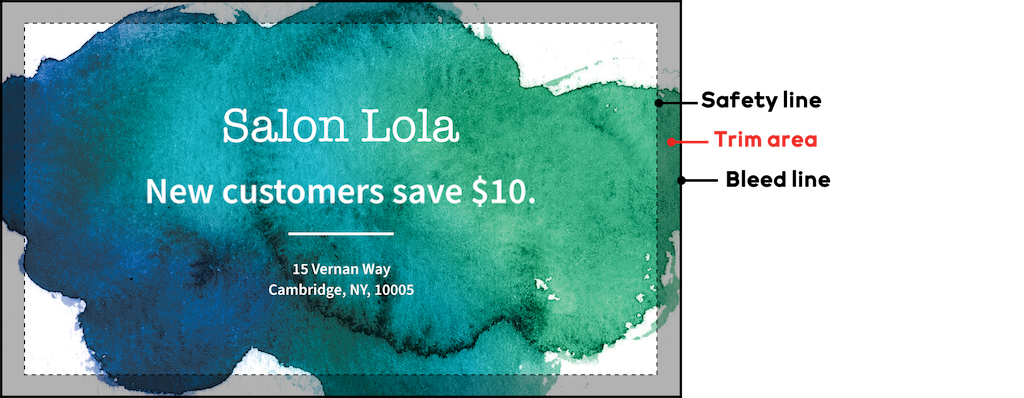
When background colors or images extend to the bleed line, this is called full bleed. Full bleed ensures your background prints all the way to the edge of your product.
How to design with the bleed line
To get the best result, follow these guidelines:
Extend background colors and images all the way to the bleed line.
Keep important text and logos inside the safety line, away from the edges.
Use the guiding lines to position your content.

