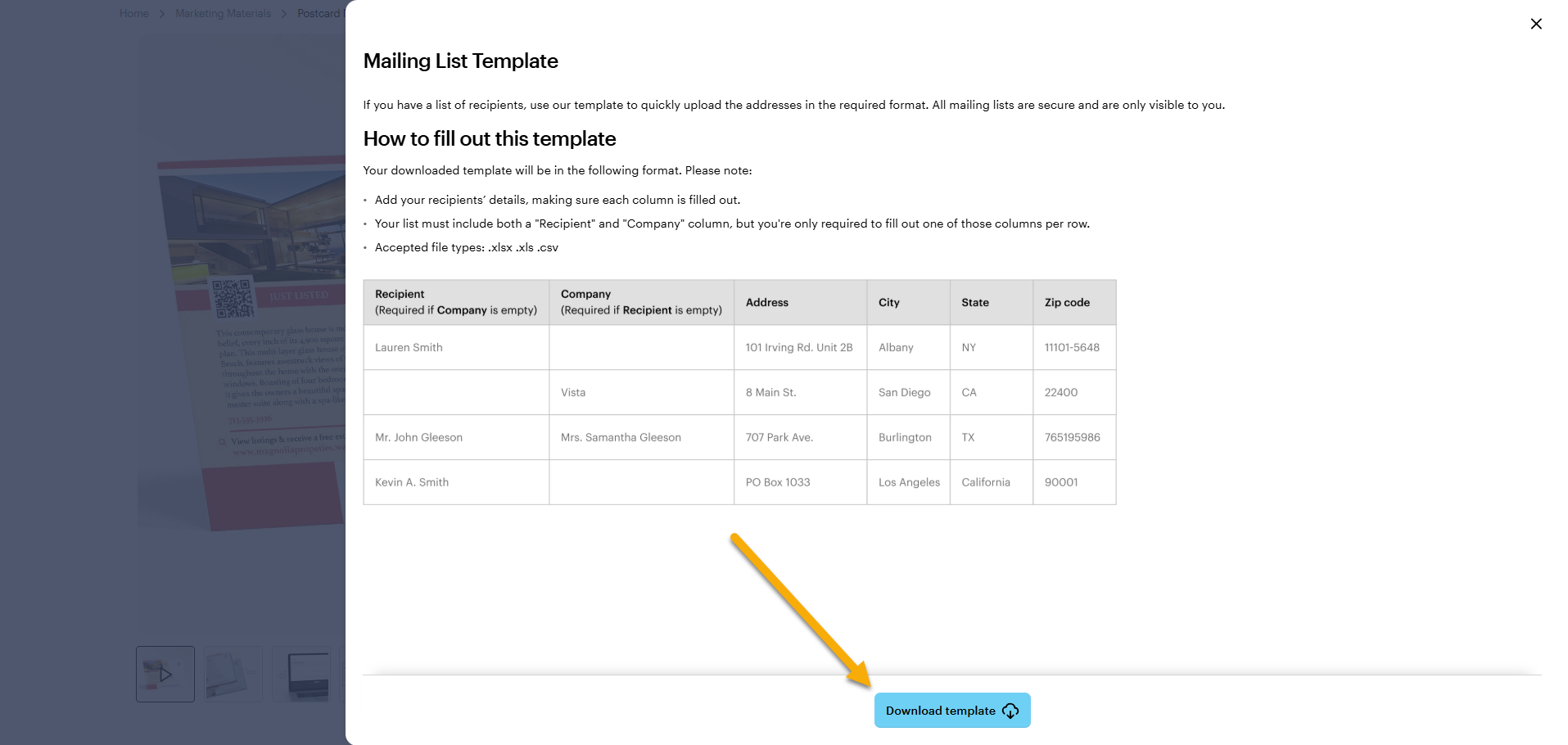
How to download the template
1
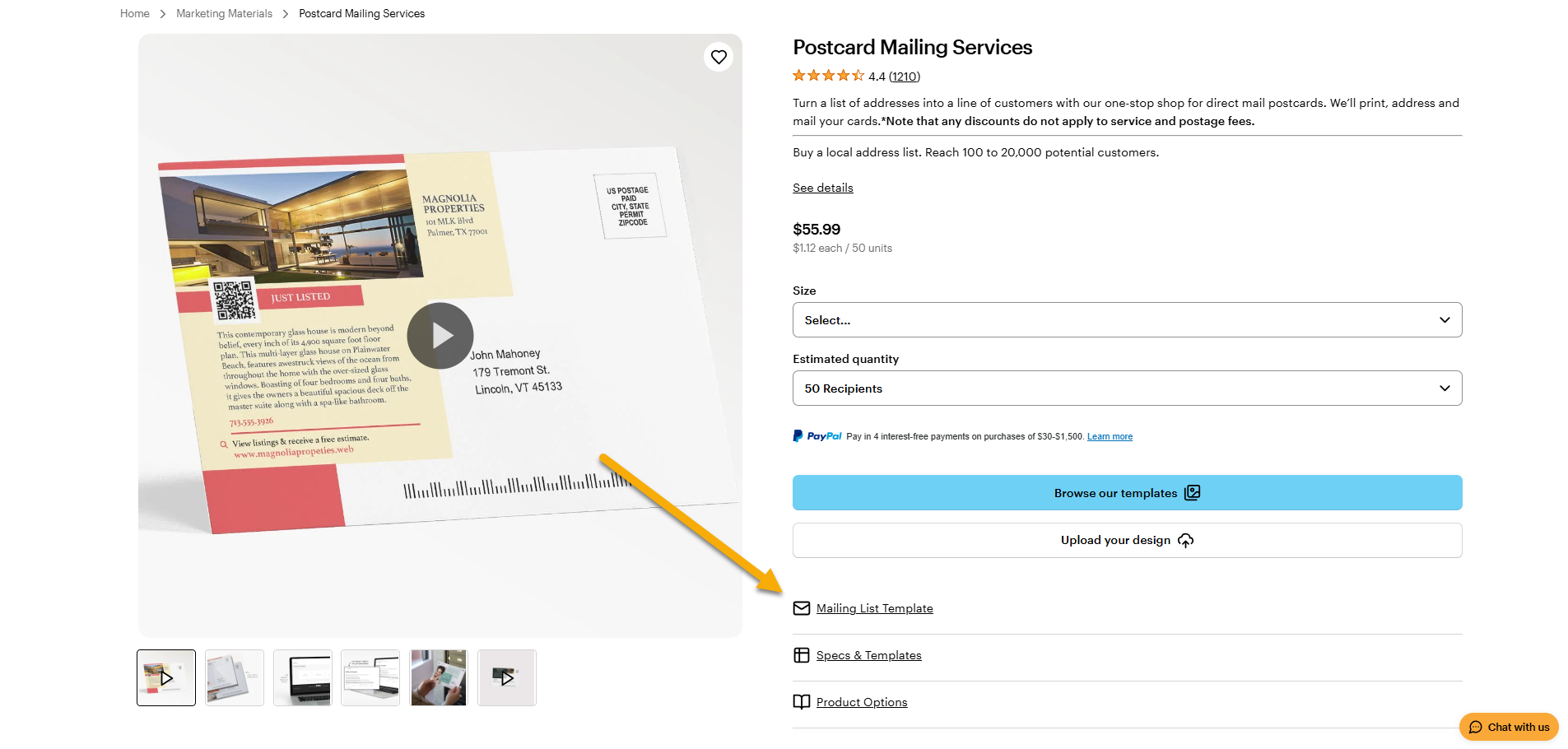
Go to the Postcard Mailing Service page
Open the Postcard Mailing Services page from the Postcards & Print Advertising section in the navigation menu.
2
Select Mailing List Template
Find the Mailing List Template option on the page to view the available template.
3
Select Download template
The standard name of the template is "Vista_ListTemplate.xlsx". Feel free to change the name.