
AccessibilitySkip to main content
How do I download my logo?
Last updated October 14, 2026.
Guide
Your logo is available in your account under My Design Services, where you can open the design and download it.

Steps to download a logo

1

Sign in to your account

Sign in to your VistaPrint account using your email address and password. 
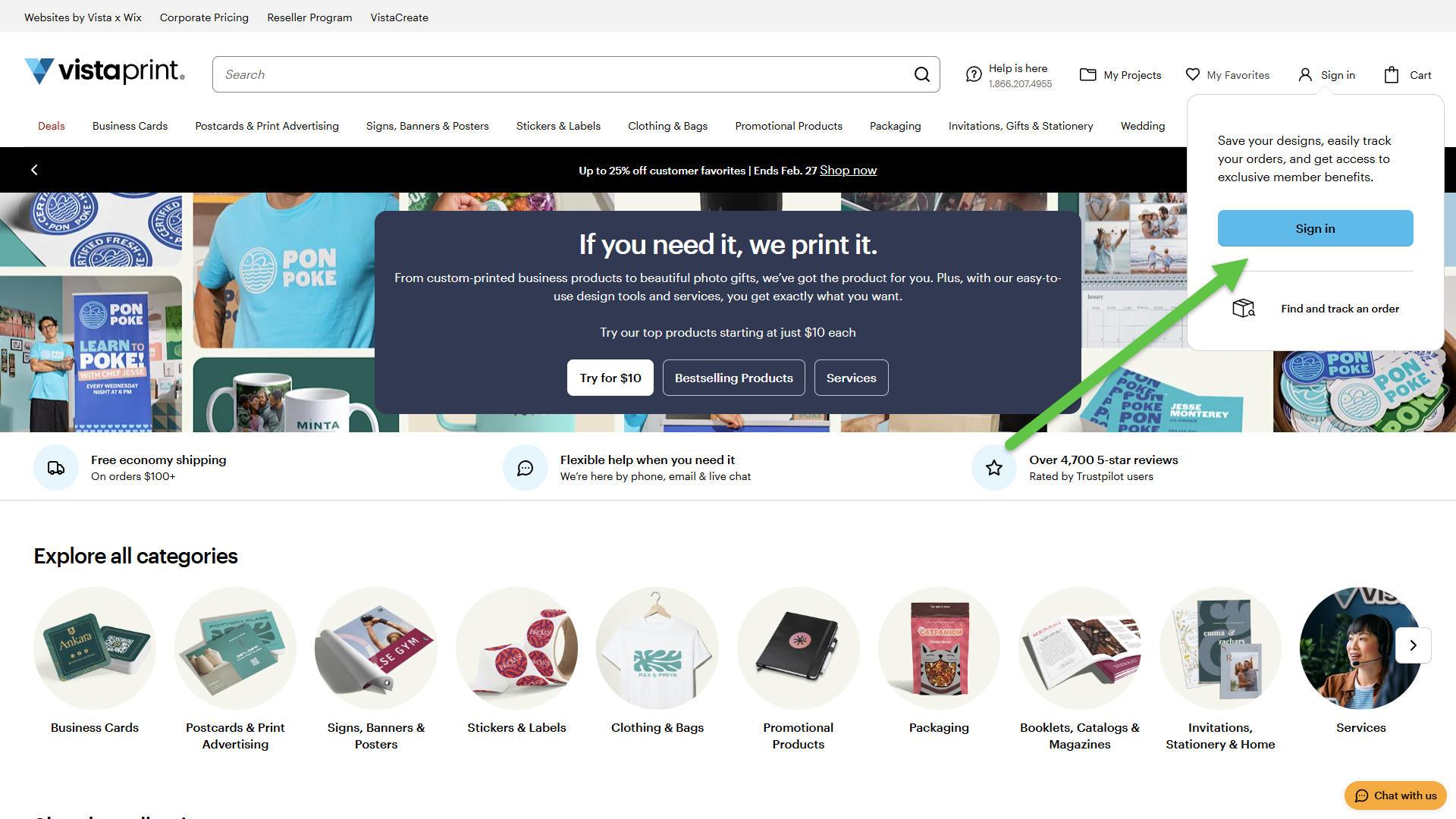
An arrow points to the Sign in button within the account login prompt on the VistaPrint homepage header.
2

Go to My Design Services

From the top-right menu, select My Account, then choose My Design Services. 
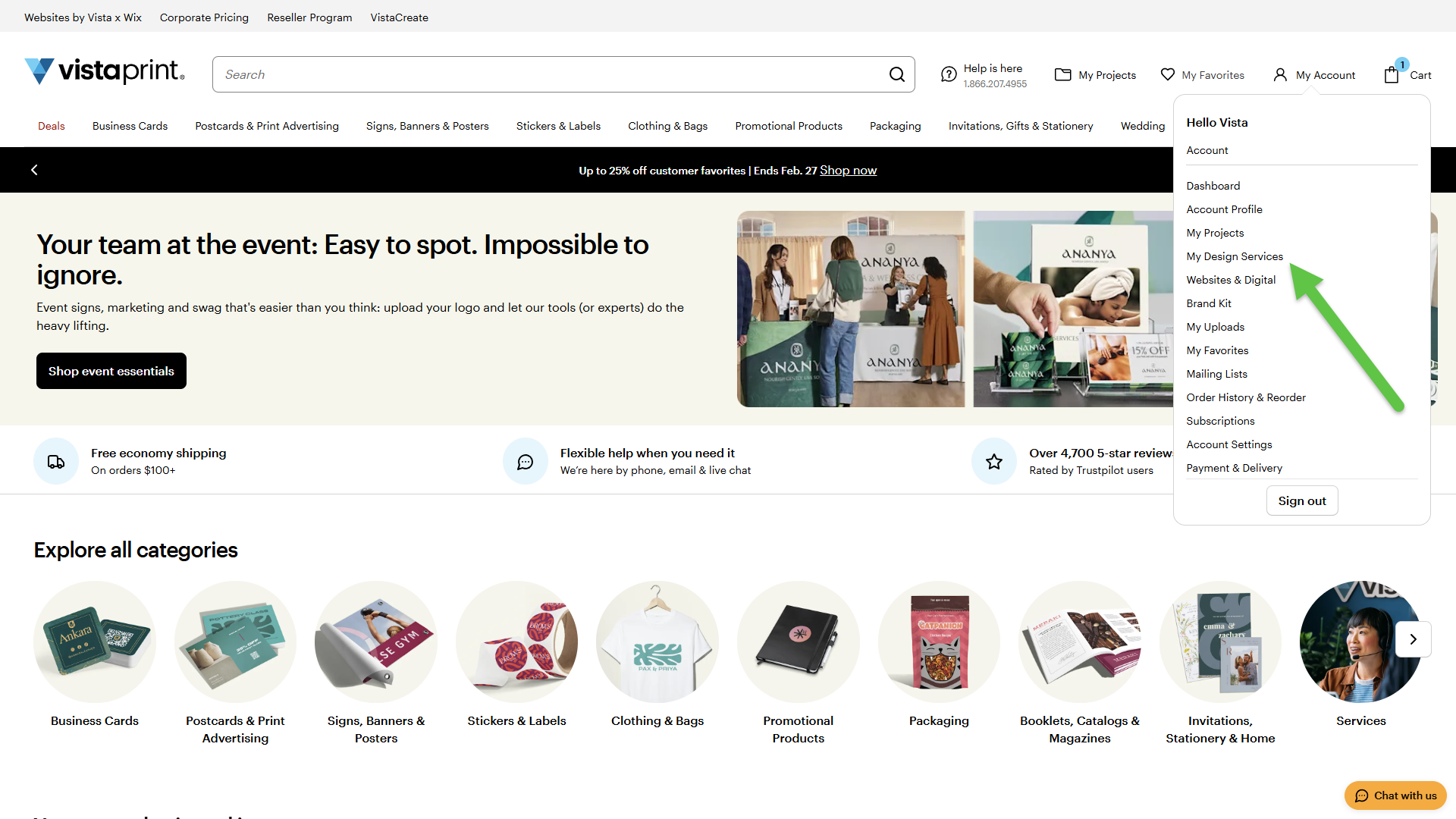
The My Account dropdown menu is open, with an arrow highlighting the My Design Services option in VistaPrint.
3

Find your logo

Browse your designs to locate the logo you want to download.
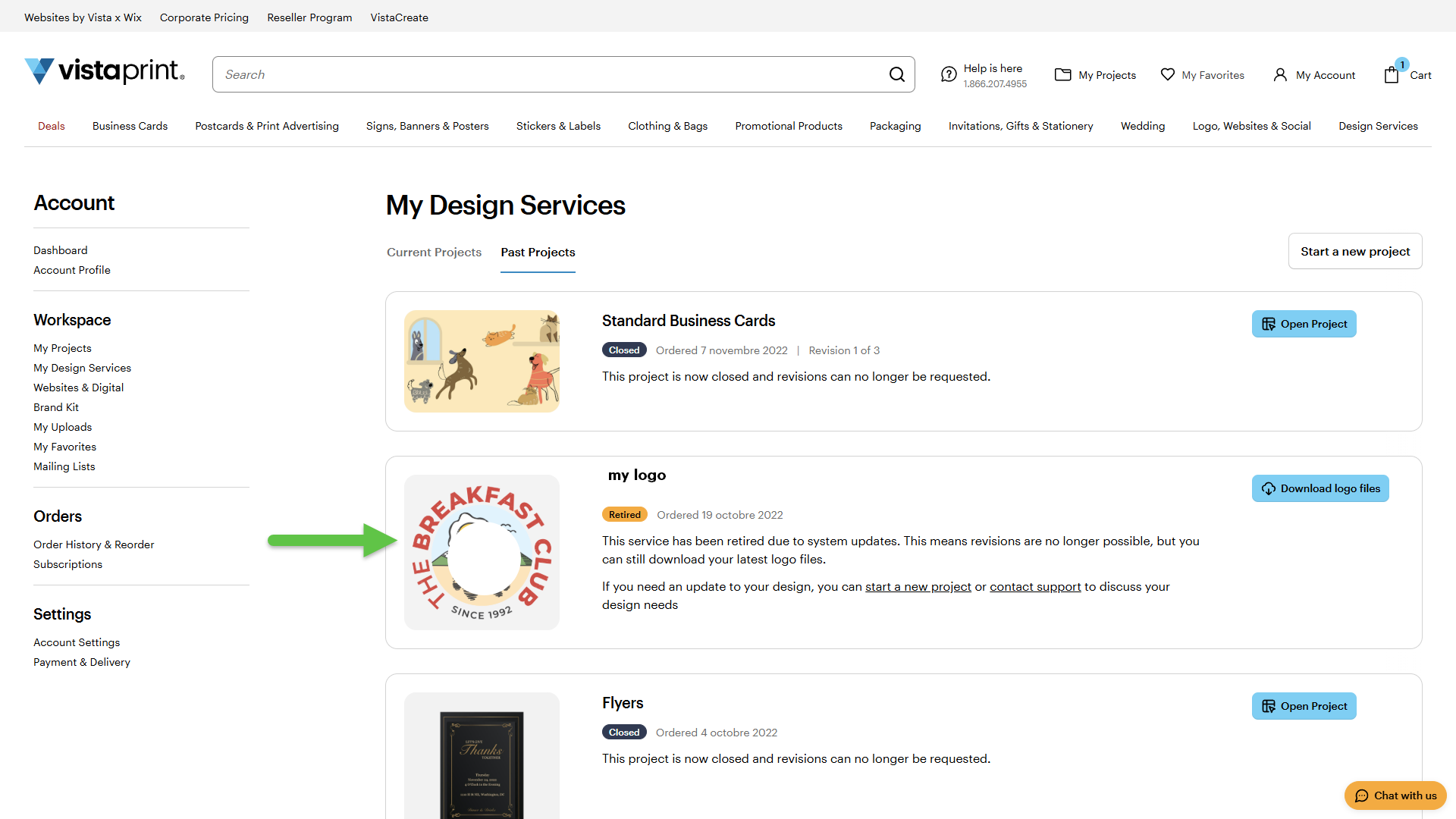
An arrow indicates a logo design project under the Past Projects tab in VistaPrint My Design Services.
4

Open your design

Select your logo.
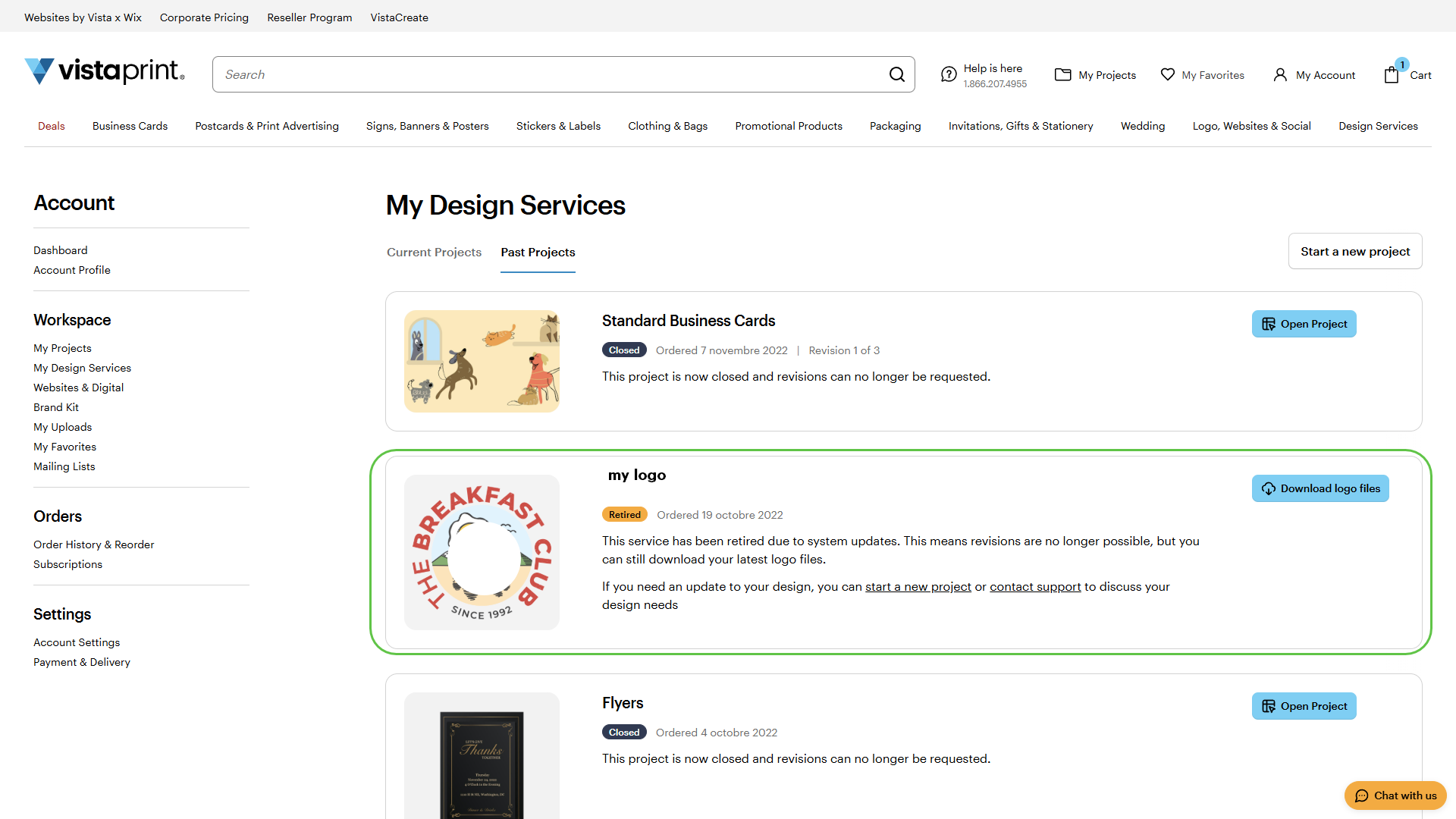
A border highlights a specific logo project entry containing a description and status.
5

Download the file

Select Download logo files to save a copy to your device.
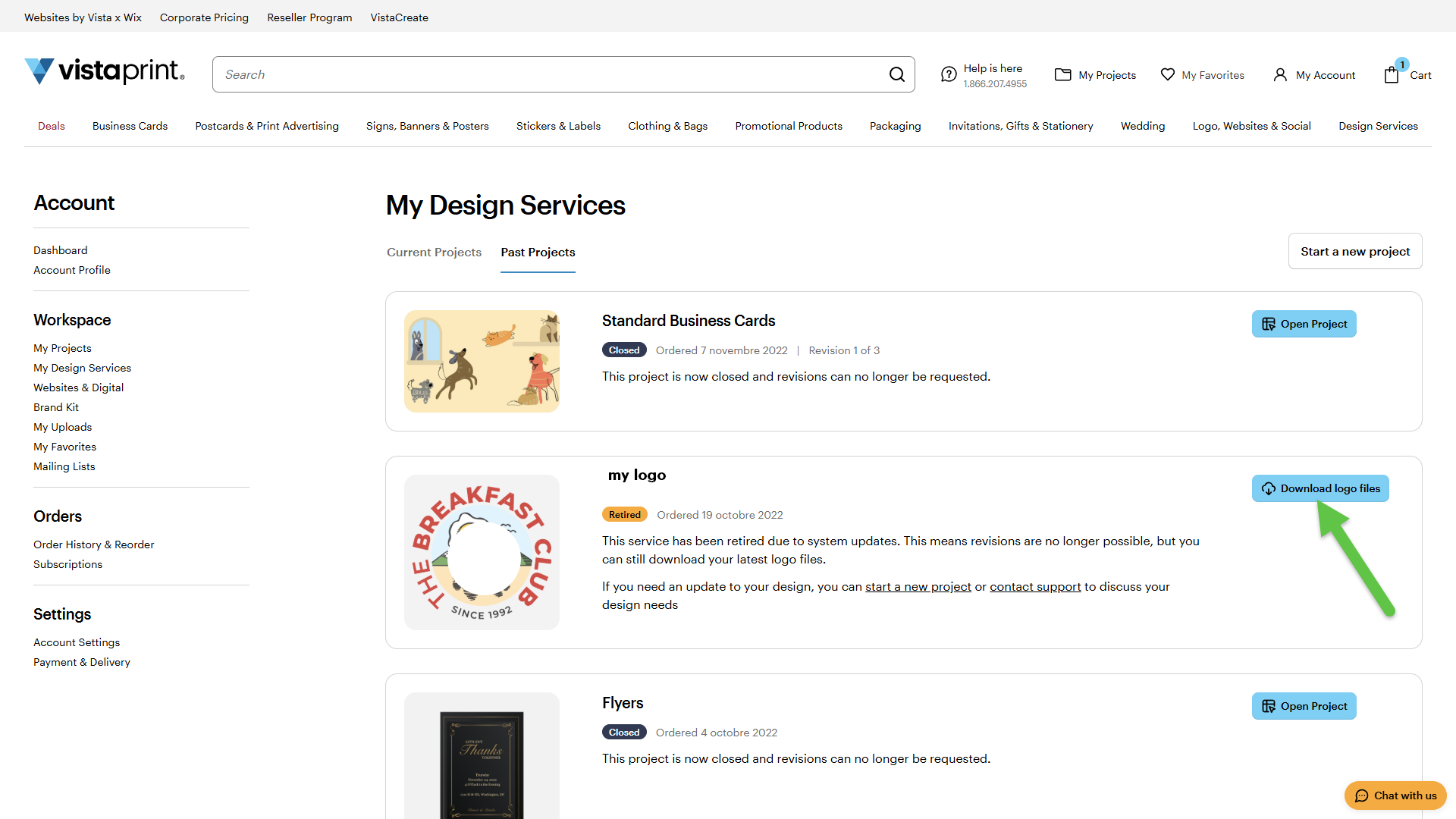
An arrow points to the Download logo files button on a completed project card.

Was this article helpful?
Learn how we use your feedback
This site is protected by reCAPTCHA

Connect live with Customer Support

Need help?

Contact Us
