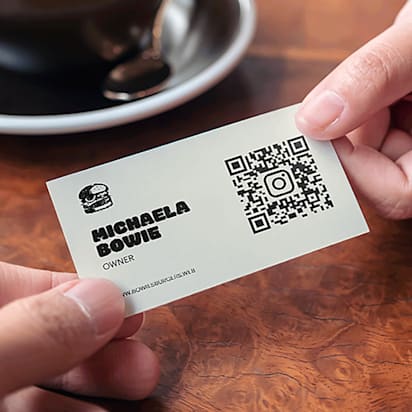
Small business owners spend a lot of time thinking about the front of our business cards. And they should, no doubt. That’s what potential customers, clients and partners see first, and how you make a lasting first impression. But what if you looked at business cards from another angle – the back.
At VistaPrint, we offer black and white or full-color printing on the backside of most cards, which means you’ve got another entire side to work with! You can add a bigger version of your logo or web address. You could generate some interest by including a coupon or special offer. Or you might want to do what we’re here to talk about today: create an appointment card.
Looking for creative ideas? Check out these unique business cards that can help your business stand out.

Sticking to a schedule
Lots of businesses operate by having appointments throughout the day or week. From health and legal professionals to repair shops, consultants and contractors, they need a way to make sure customers stick to the schedule. It’s deflating when no-shows leave you high and dry. And when a few people show up late, it can derail the plan for the whole rest of the day.
Appointment cards are a great way to help you avoid the chaos and stay on track. They’re a convenient reminder for your customers, and an easy way for you and your team to keep people coming back when and how often you’d like. If you’re a hairdresser, schedule the next cut and put it on the appointment card before your client walks out. Fitness instructor? Jot down when the next class is happening. And if you’re a plumber, landscaper or electrician, you can use your appointment card to recommend when people should have you back for regular maintenance.

The power of paper
So, you might be asking, why would anyone want an appointment card when they have a calendar app on their phone? Even in the age of smartphones, many people want something they can quickly save for later, especially if they’re rushing out the door. And much like newspapers or magazines, a large portion of the population prefers to have a tangible way to process and digest information. (It can be more impactful that way – for a pop culture example, just look at how “Squid Game” business cards have become iconic.) Every entry in a digital calendar looks the same, but your customized appointment reminder cards keep your unique business and their next appointment top of mind. And depending on how customers organize their wallets and purses, they might see your card every time they reach for their credit card or ID.

You’ve got options
Not every business is the same, so we have a sizeable selection of appointment business card templates and styles. Some have a more traditional approach to appointment cards, with spaces for a date, time and short note. (Uncoated business cards are particularly easy to write on). Others give you a little more freedom to include things like a mini-calendar or even a small logo, image or pattern. In addition to standard business card sizes, you can also get square-shaped cards or opt for rounded corners. And no matter what appointment card designs you like, you can always customize the text and spacing to include whatever details you like. To learn more, check out our helpful guide about business card sizes and dimensions.
In the end, it’s your card, and it’s your call. Now that you know how valuable the backside of your card can be, explore a huge variety of paper, shape and design options to find something that fits your business – and your style.
Want to learn more? Read our article on best types of business cards.
FAQs about appointment cards
1) What’s the advantage of using a business card as an appointment reminder card?
It turns one item into a dual-purpose tool: networking + retention. When clients have a tangible reminder with your details on it, they’re more likely to keep it, remember your business, and show up for their next visit—especially for repeat-visit services.
2) What details should an appointment card include (and what’s better left off)?
Include the essentials that reduce no-shows and confusion: date, time, location (or meeting link), service type, and best contact method. Keep the rest minimal so there’s room to write clearly—avoid overcrowding with too many socials, long taglines, or extra offers that compete with the appointment info.
3) How should I design the “front vs. back” so it stays readable and useful?
A common approach is: front = brand + contact, back = appointment fields (with plenty of whitespace). Use a clean layout, legible fonts, and high contrast—appointment cards fail when clients can’t quickly spot or write the key info.
4) Are appointment cards better for certain industries or customer journeys?
They shine for businesses where repeat visits matter: salons, barbers, spas, clinics, fitness, tutoring, home services, and any appointment-based local business. If your service cycle is predictable (every 2 weeks, monthly, seasonal), appointment cards reinforce that rhythm and keep you top-of-mind.
5) What related upgrades pair well with appointment cards: QR codes, digital cards, and follow-up?
Branching beyond paper reminders:
- Add a QR code to booking, rescheduling, reviews, or a “save to calendar” flow.
- Use digital business cards (or NFC) for instant contact saving—then keep appointment info on the physical card for on-the-spot scheduling.
Align with a lightweight follow-up system (text/email reminders) so print + digital reinforce each other.