How to add recipient addresses
Add the design to the cart
Complete your design and add it to your cart.
Choose your product options
Select your product options, such as paper type and corner shape.
Select envelopes
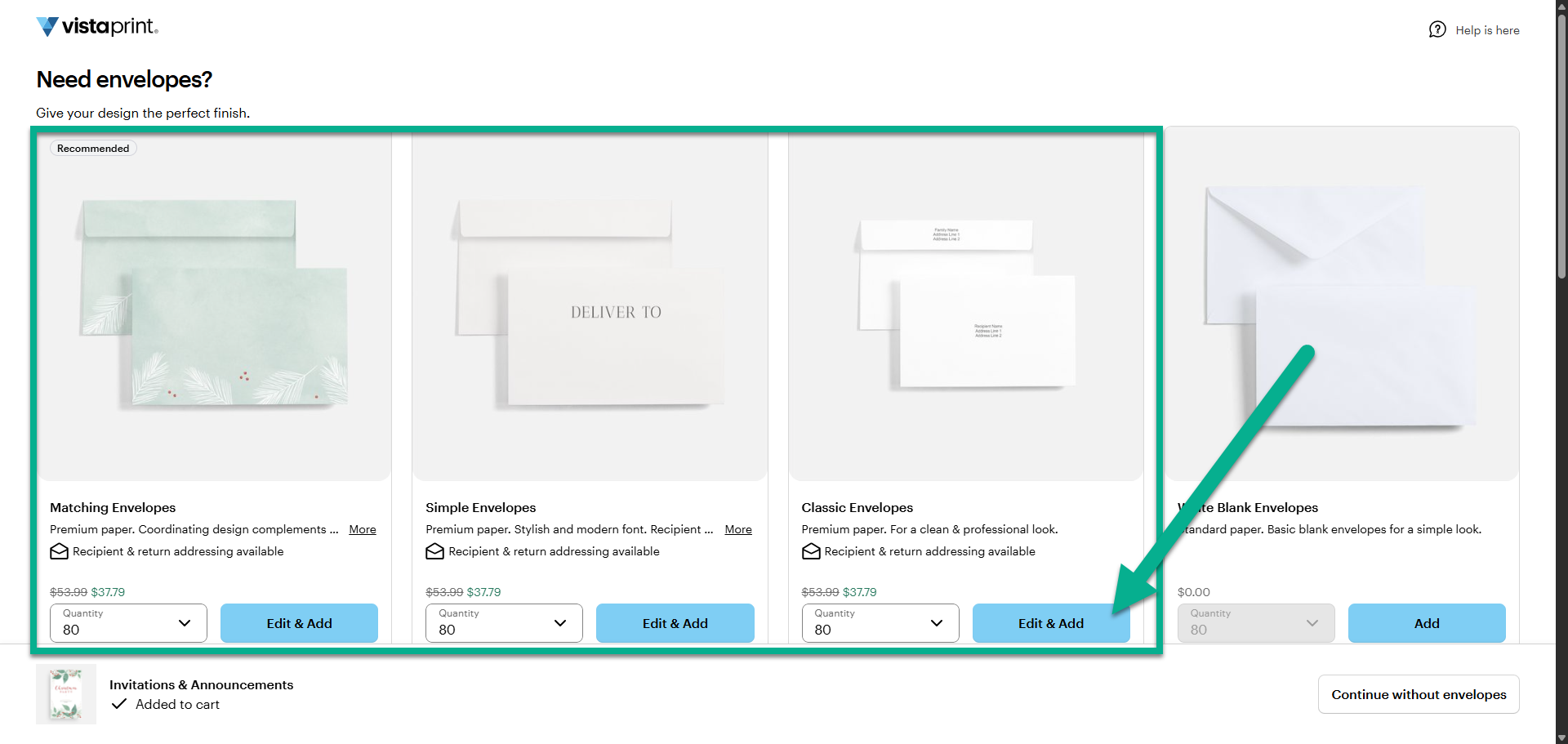
Choose between matching envelopes, simple envelopes or classic envelopes. Select Edit & Add to begin editing your envelopes.
Add printed recipient addresses
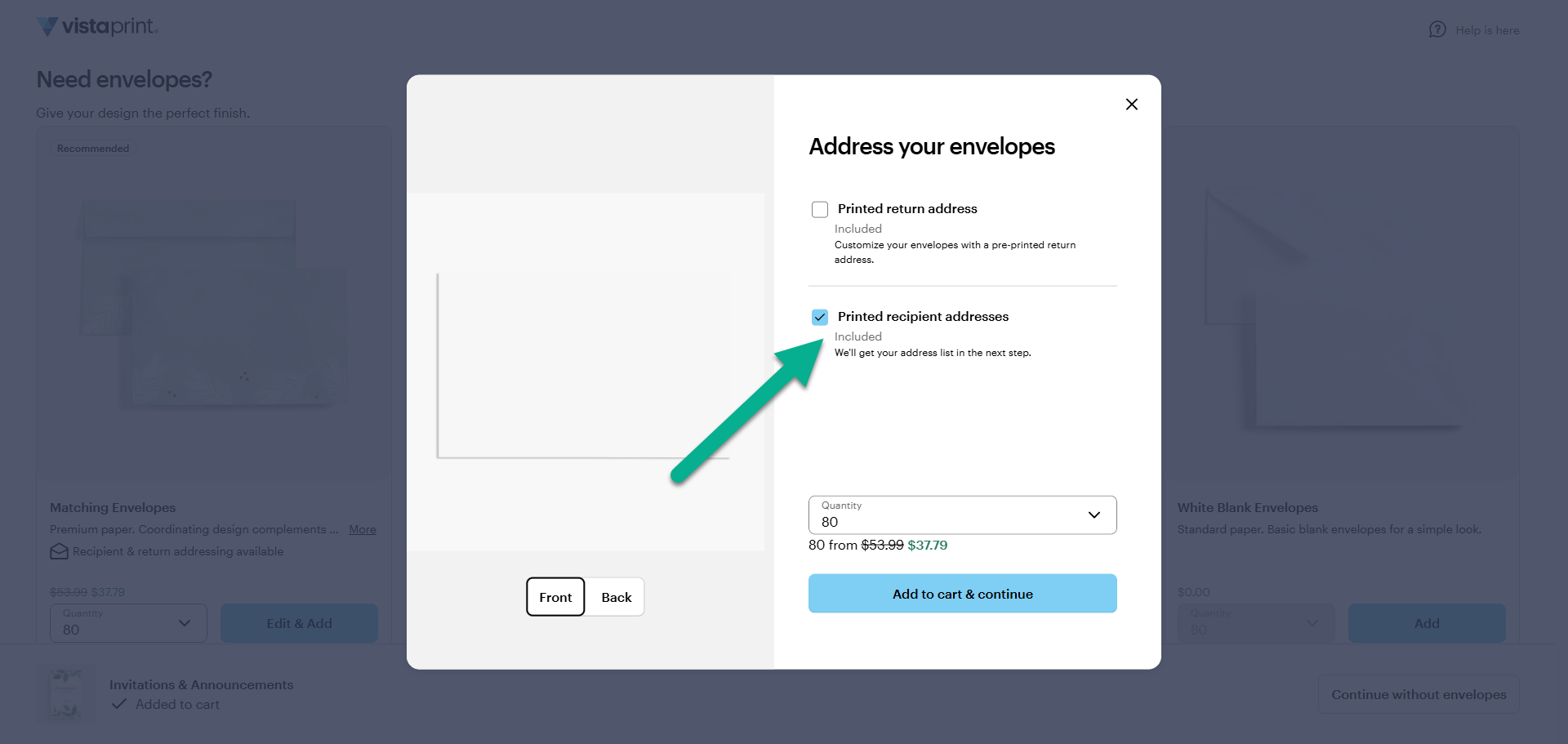
Select the option to add printed recipient addresses to your envelopes. At this stage, you can also add your return address to the envelope. Select "Add to cart and continue" to move on to the next step.
Set up your recipient list
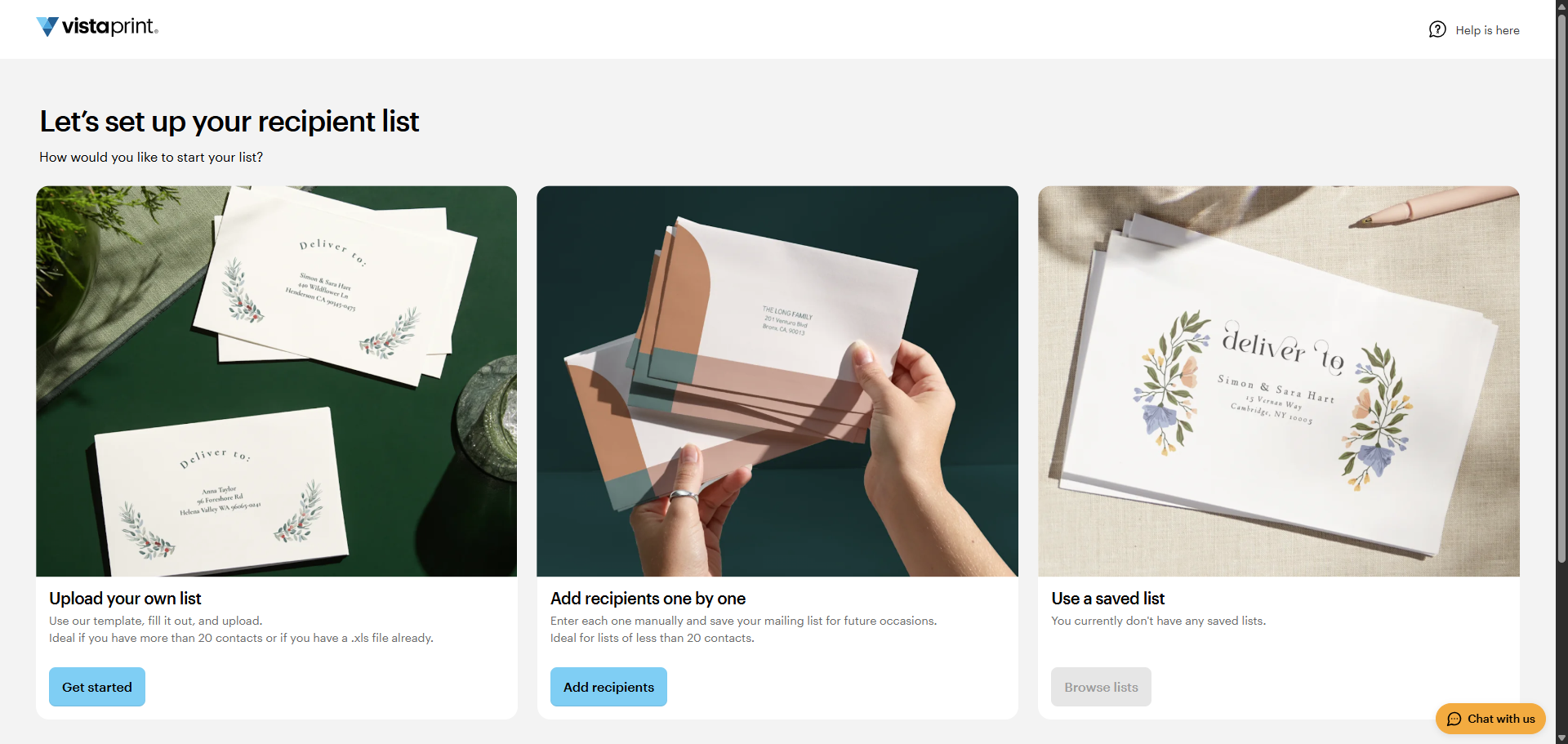
You can add your recipients in one of three ways:
Upload your own list: Use our template, fill it out and upload it to your site. This option is ideal if you have more than 20 contacts or if you have a .xls file with your recipients already.
Add recipients one by one: Enter the address of each person you want to send the card to. Save your mailing list for future use. This is the best choice if you have less than 20 recipients.
Use a saved list: If you've already given us a list, we'll show it here and you can choose to use it again.
Add envelopes to your cart
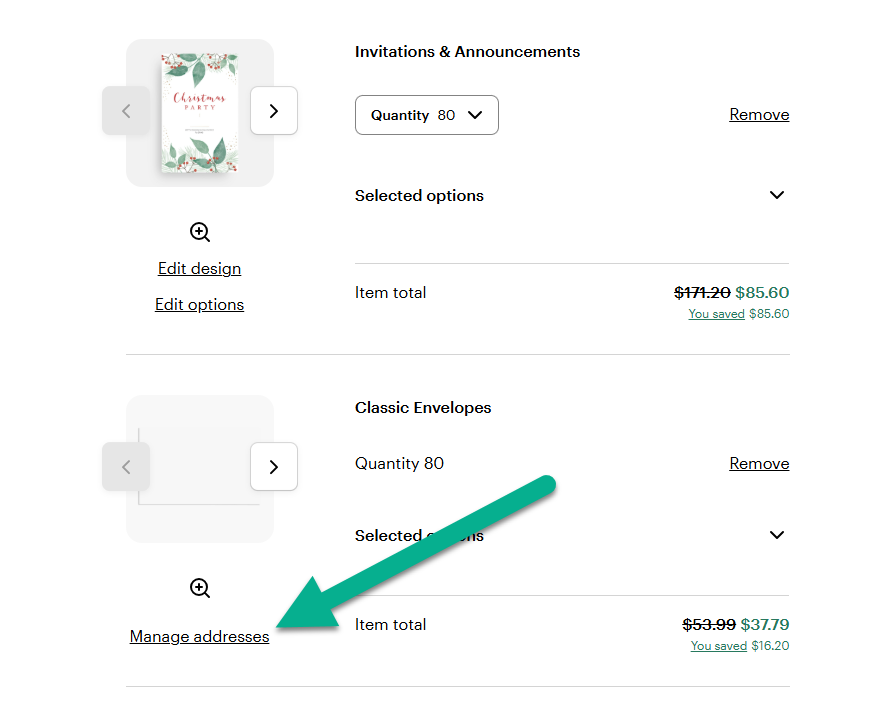
After adding recipient addresses, add the envelopes to your cart. If you need to make changes before you order, select Manage addresses under the envelopes in the shopping cart.