
AccessibilitySkip to main content
Can I change the size of my product?
Last updated October 12, 2026.
Guide
Yes, you can change the size of the product in the design studio.

Yes, you can change the size of your product while designing it.

If you have already added the product to your cart, you can change the size by editing it in the design studio. 

To choose a different size, follow these steps: 

1

Open Product Options

Open the product in the design studio and select Product Options from the menu: 
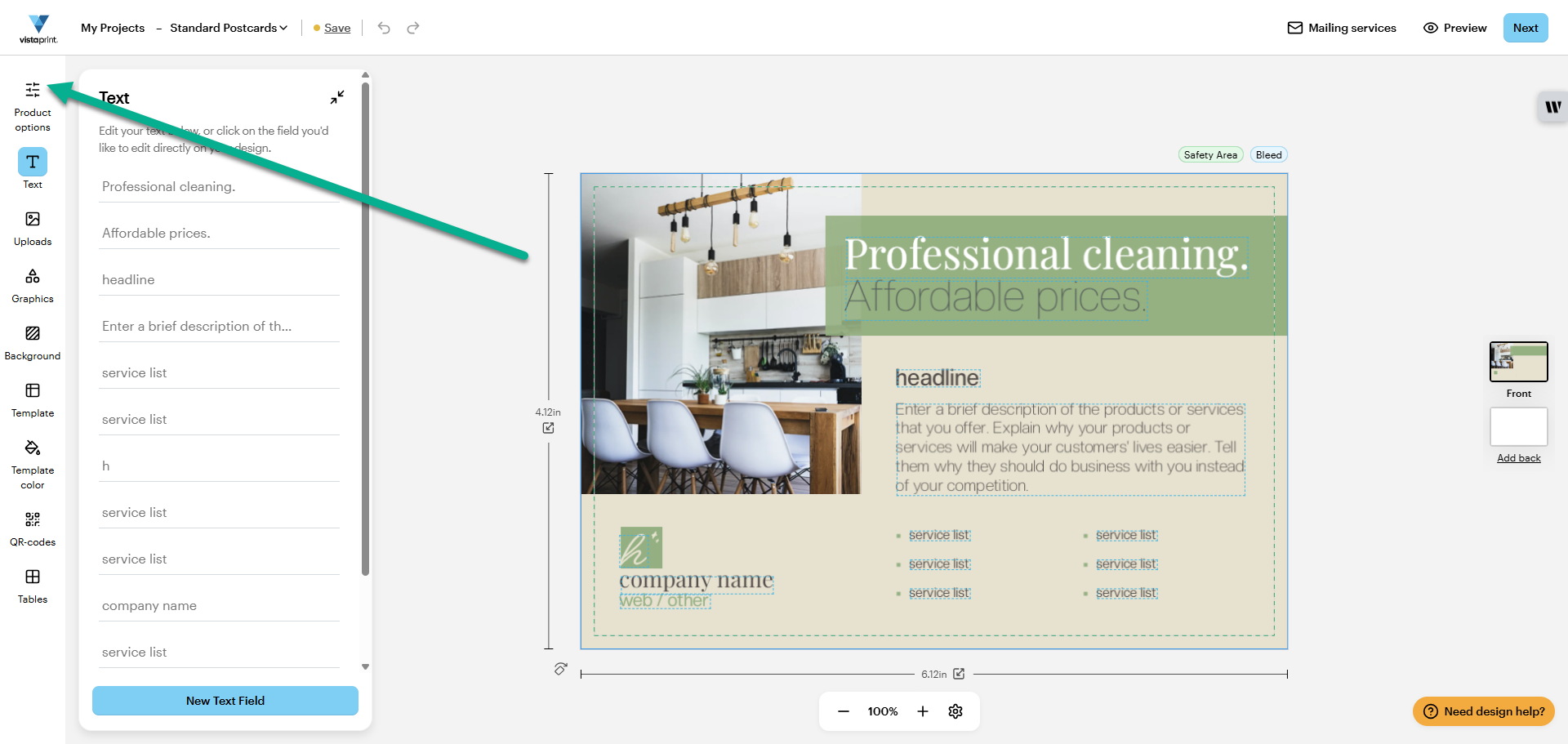
VistaPrint design studio with arrow pointing to the "Product Options" tab in the menu.
2

Select your preferred size

Select a size that fits your needs and choose Confirm Selection to save your choice: 
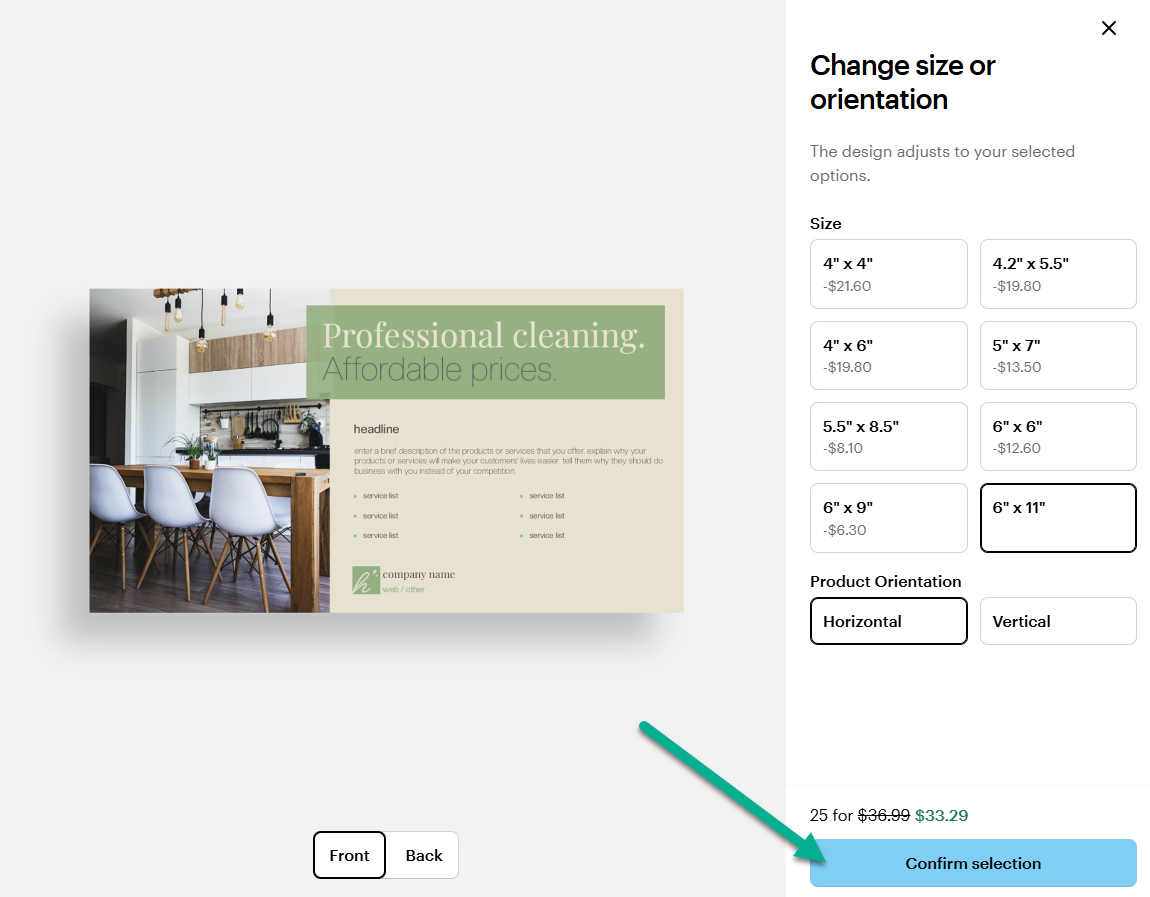
Change size or orientation menu with several size options and the option to change orientation. An arrow points to "Confirm Selection"

Was this article helpful?
Learn how we use your feedback
This site is protected by reCAPTCHA

Connect live with Customer Support

Need help?

Contact Us
