

What white-label shipping includes
Orders arrive in unbranded packaging
No VistaPrint branding on the package or shipping label
A generic return address is used
How to set up white-label shipping
You can turn white-label shipping on or off from your account settings.
Sign in to your account: Enter your login details.
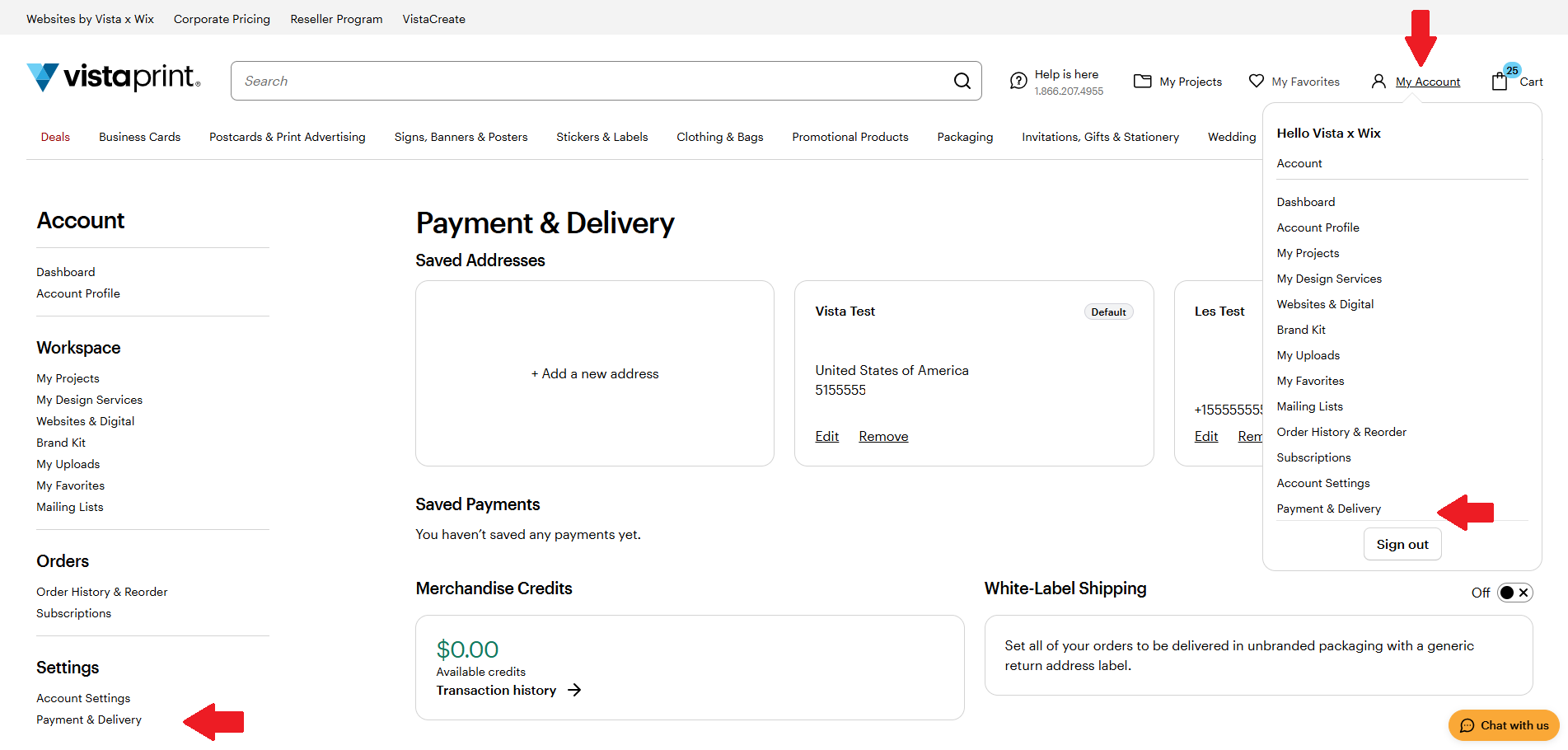
Go to My Account: Select My Account (person icon)
Select Payment and Delivery: On the pop-up menu, select Payment and Delivery. Payment and Delivery also appears on the left menu under
Toggle white-label shipping on or off: Use the switch to enable or disable unbranded packaging.
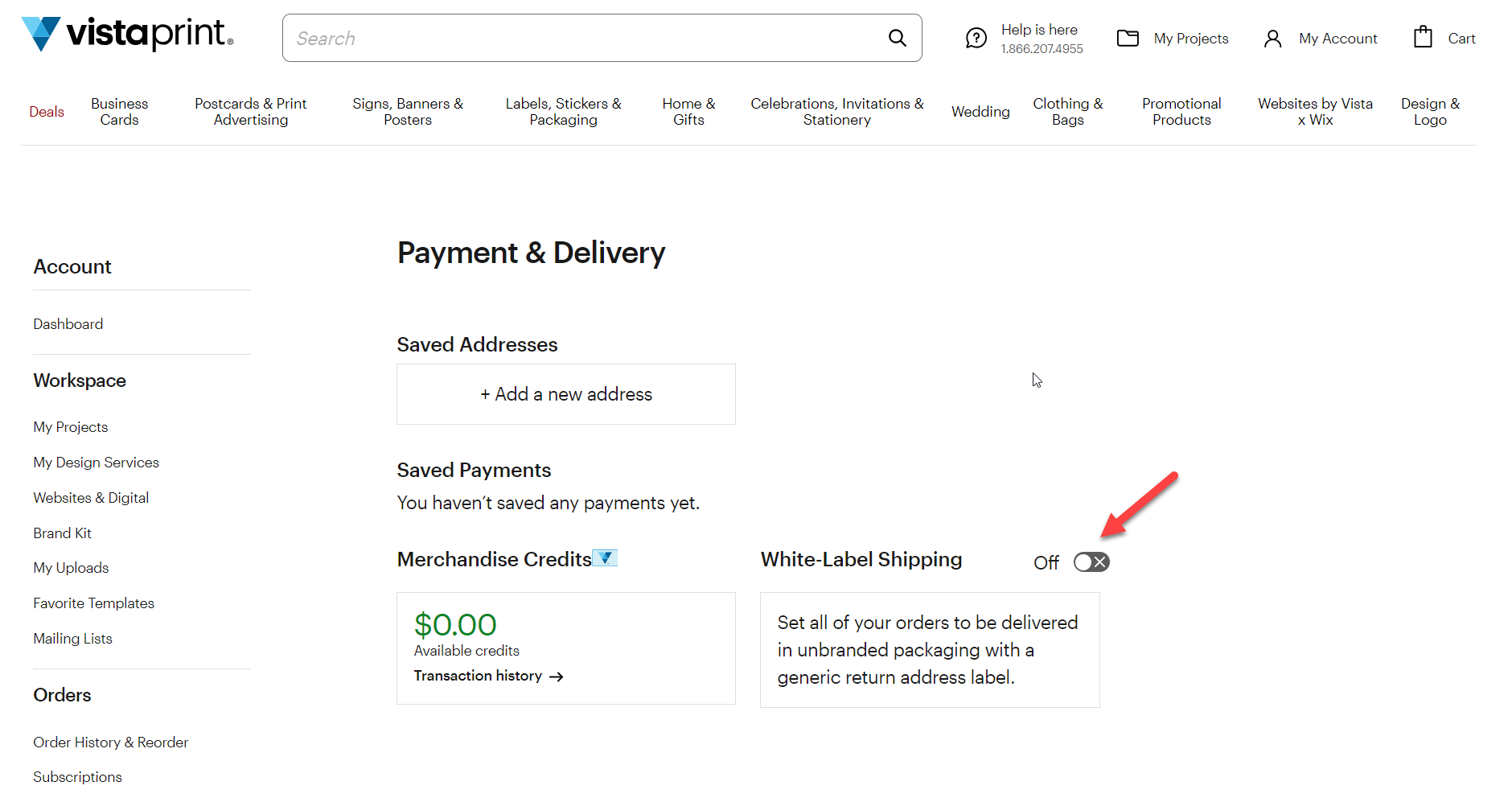
The option you select applies to all future orders unless you update it again.

