
AccessibilitySkip to main content
How do I remove saved credit cards?
Last updated June 16, 2026.
Guide
You can remove your card details under Payment and Delivery in My Account.

To delete a saved payment method from your account, follow these steps: 

1

Open your Payment and Delivery settings

Go to My Account and then to Payment & Delivery
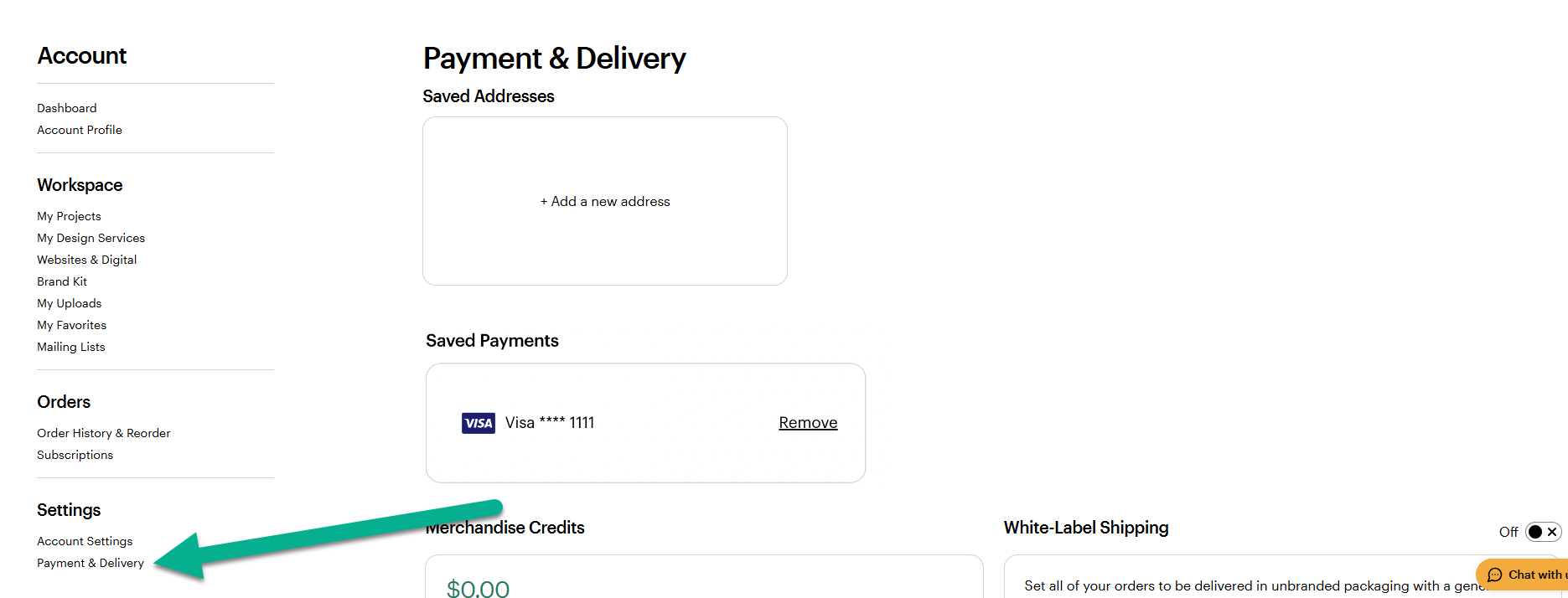
VistaPrint account interface showing the Payment and Delivery section under Settings in the side navigation menu.
2

Remove the payment method

Under Saved Payments, you can remove the saved payment method.
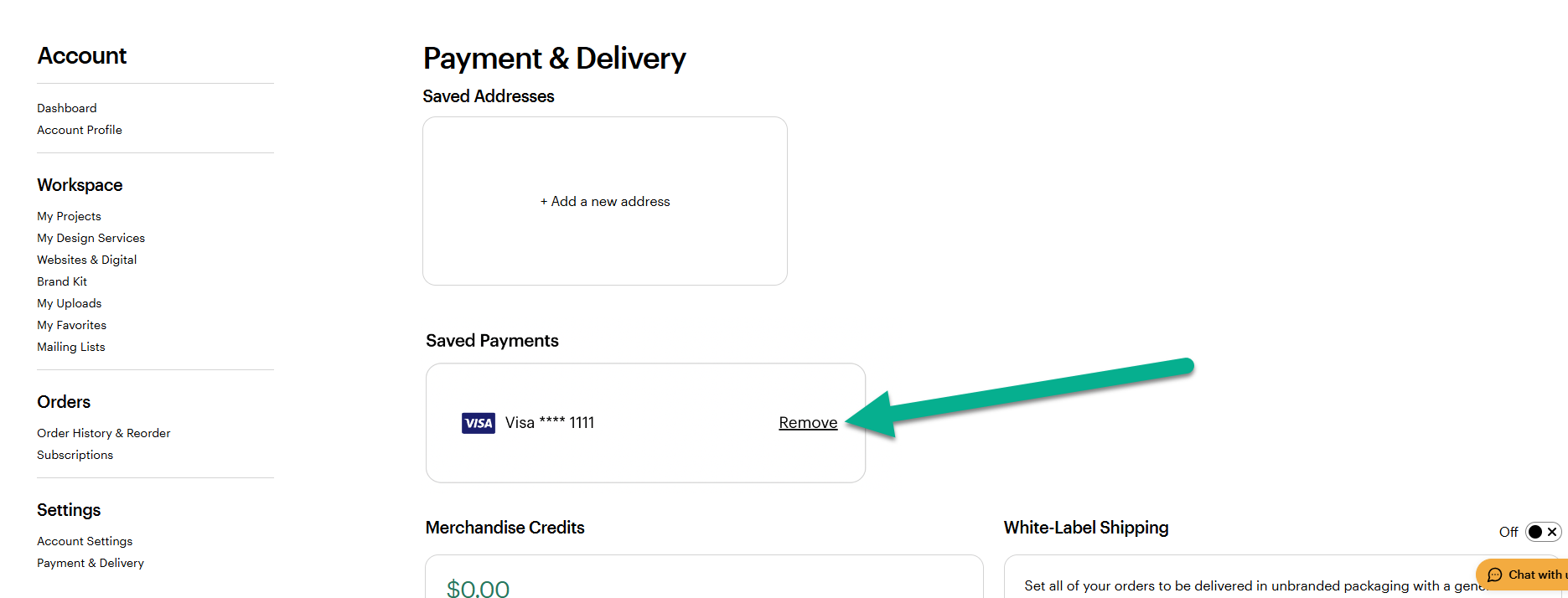
VistaPrint Payment and Delivery page highlighting the Remove option next to a saved credit card

Was this article helpful?
Learn how we use your feedback

Connect live with Customer Support

Need help?

Contact Us
