


To cancel your order, follow these steps:
Visit our Help Center
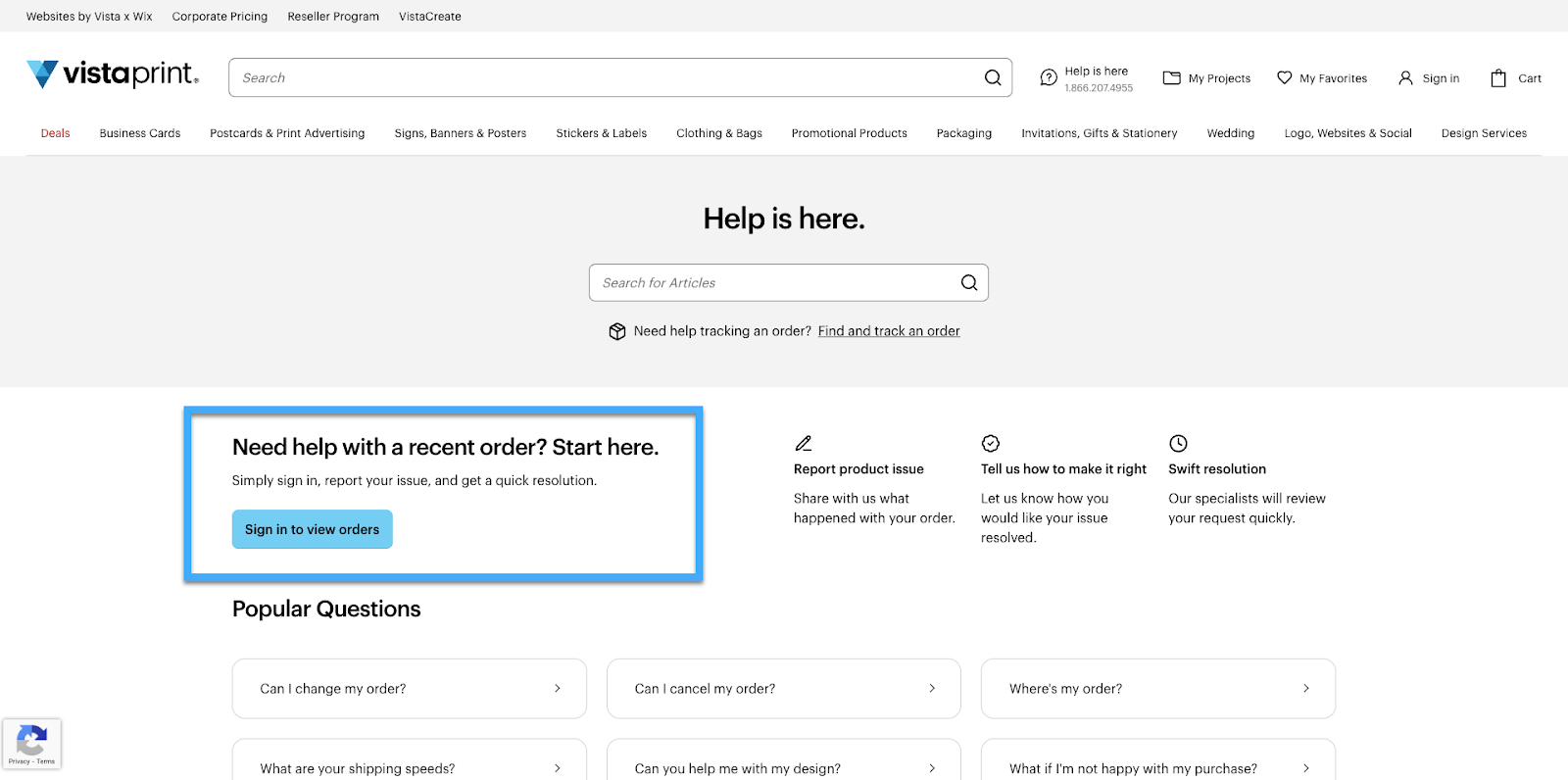
On the Help Center front page, you'll find the option "Need help with a recent order? Start here".
Select an order
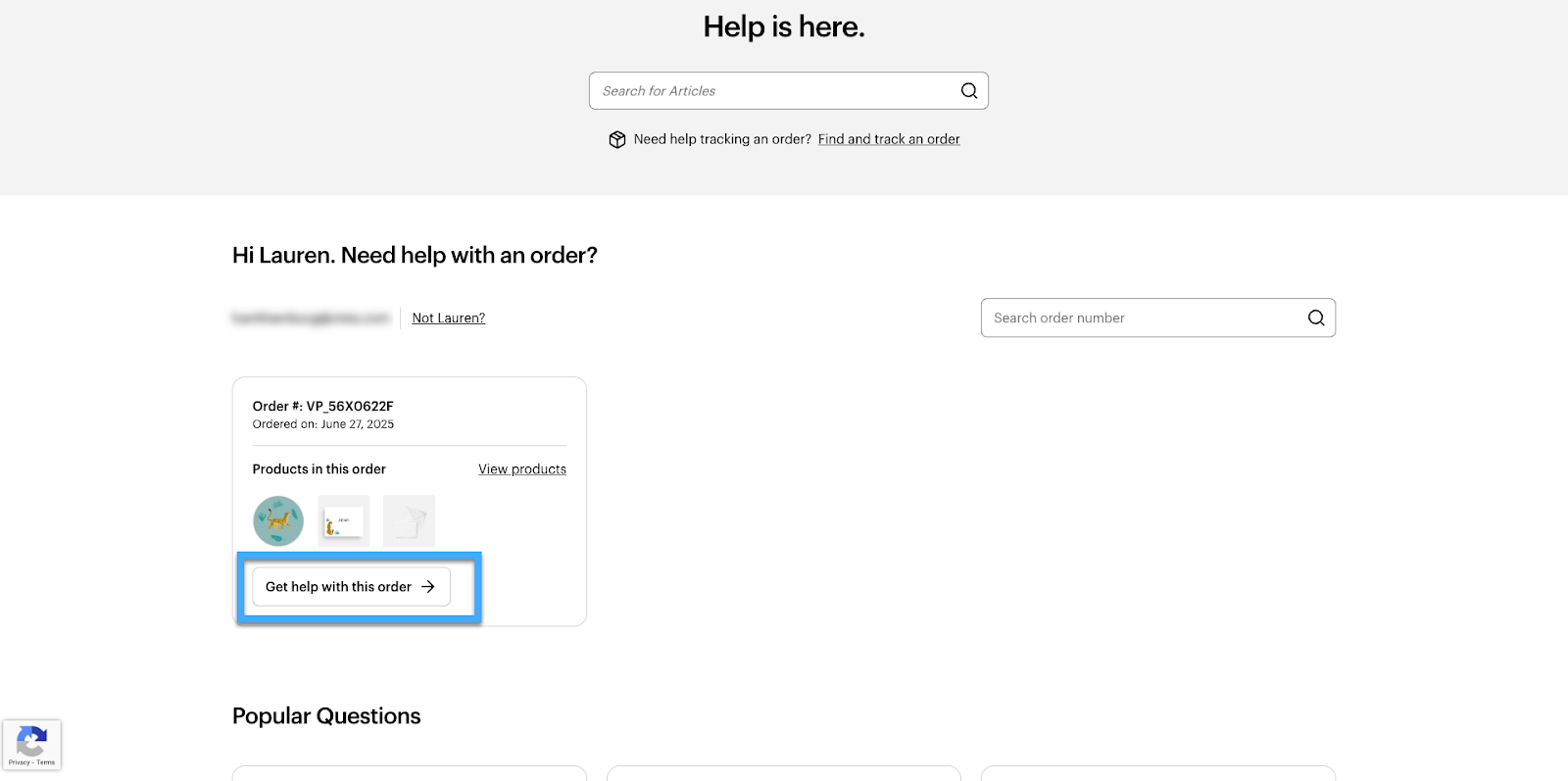
We'll show you a list of all your recent orders. Select an order from the list and choose "Get help with this order".
Select an action
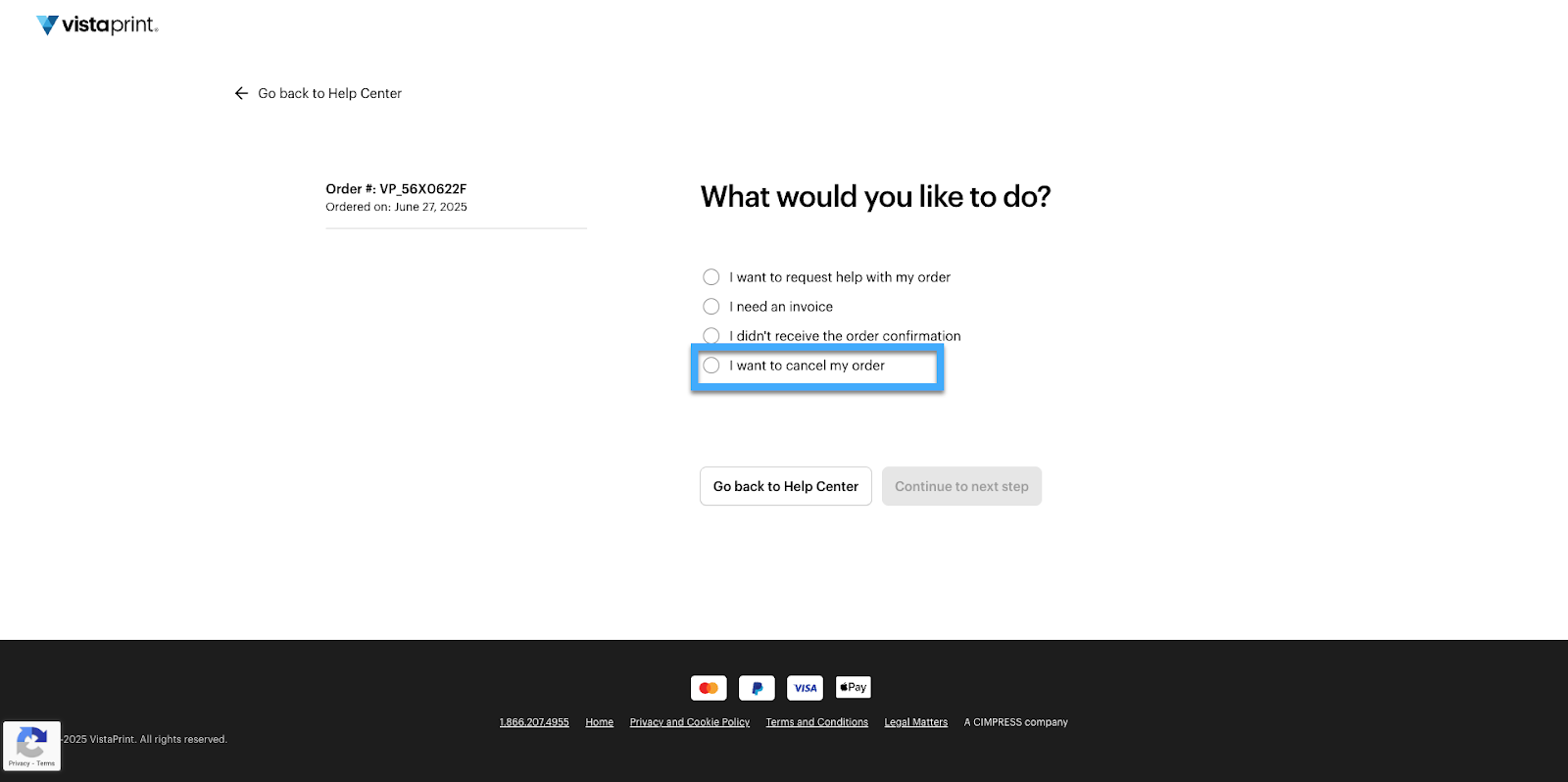
From the list of available actions, choose "I want to cancel my order".
Select products
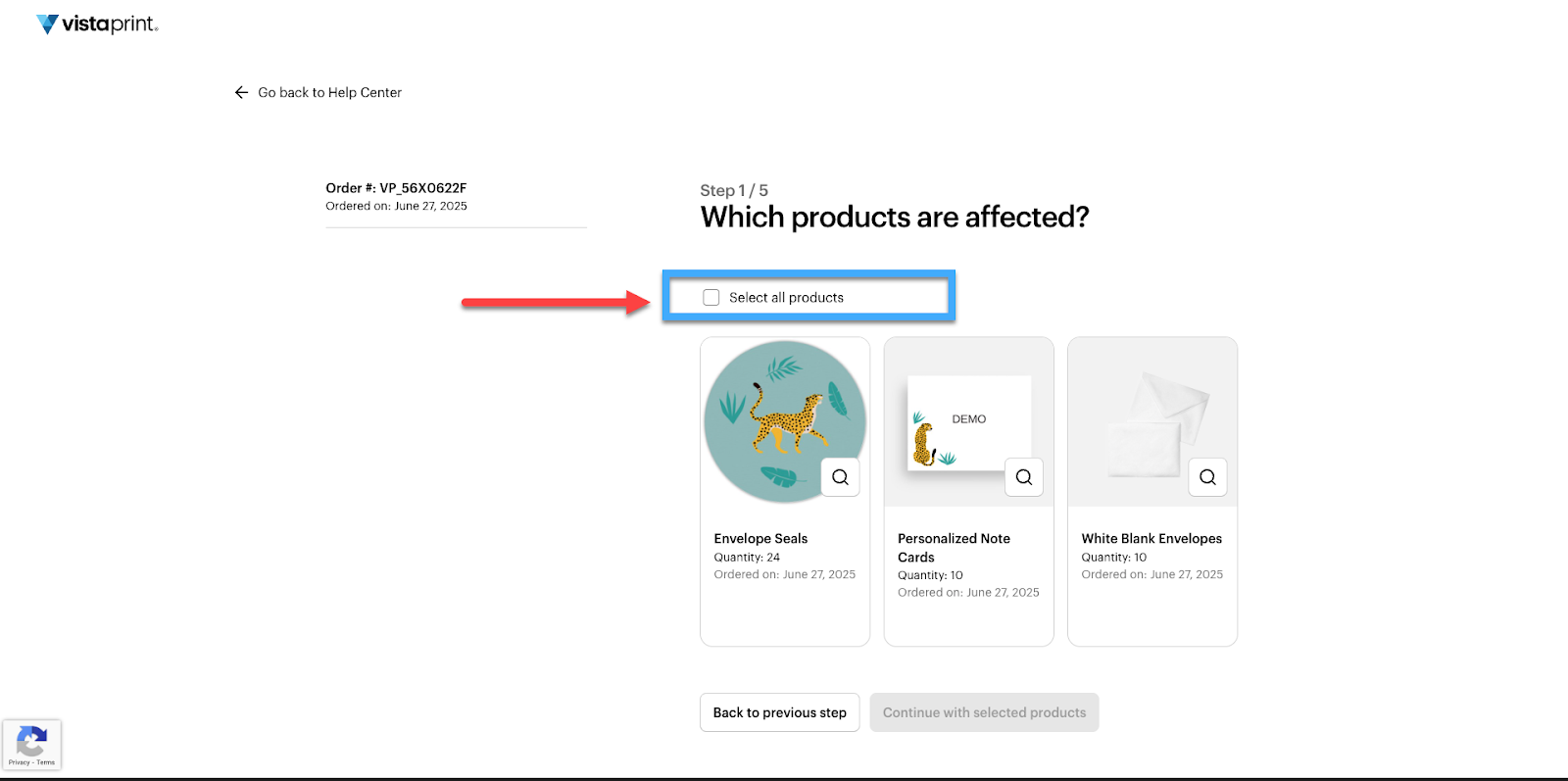
Select the products you want to cancel. To cancel the entire order, select "Select all products".
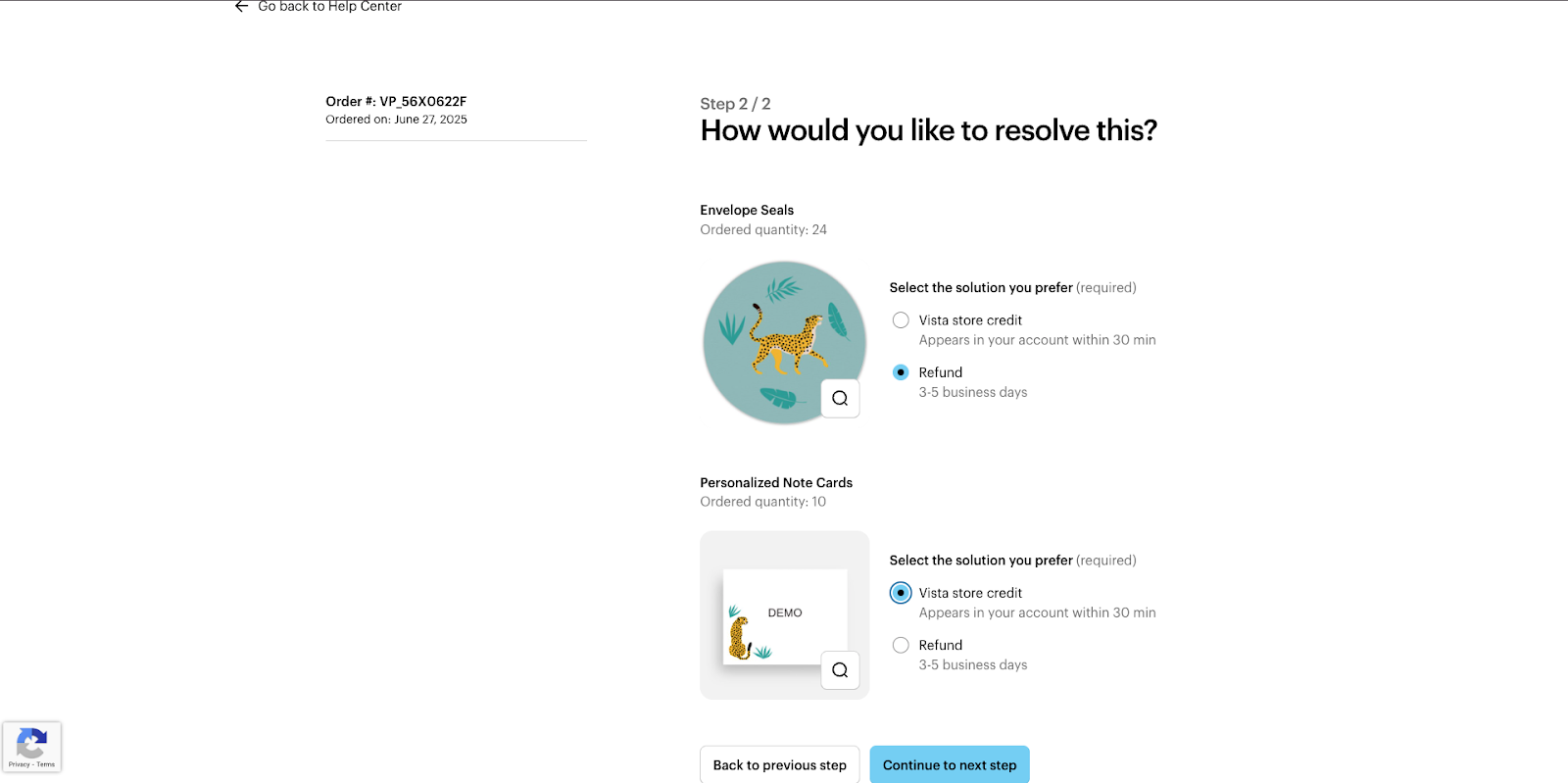
Choose a solution
Select whether you’d like to receive store credit or a refund for this order:
Vista store credit: If you want to place a new order right away, we can issue a Vista store credit. The credit is ready for use in your account within 30 minutes. Learn how to use a Vista store credit here.
Refund: If you prefer a refund, you'll receive your money within 3-5 business days.
When you've made your selection, select "Continue to next step".
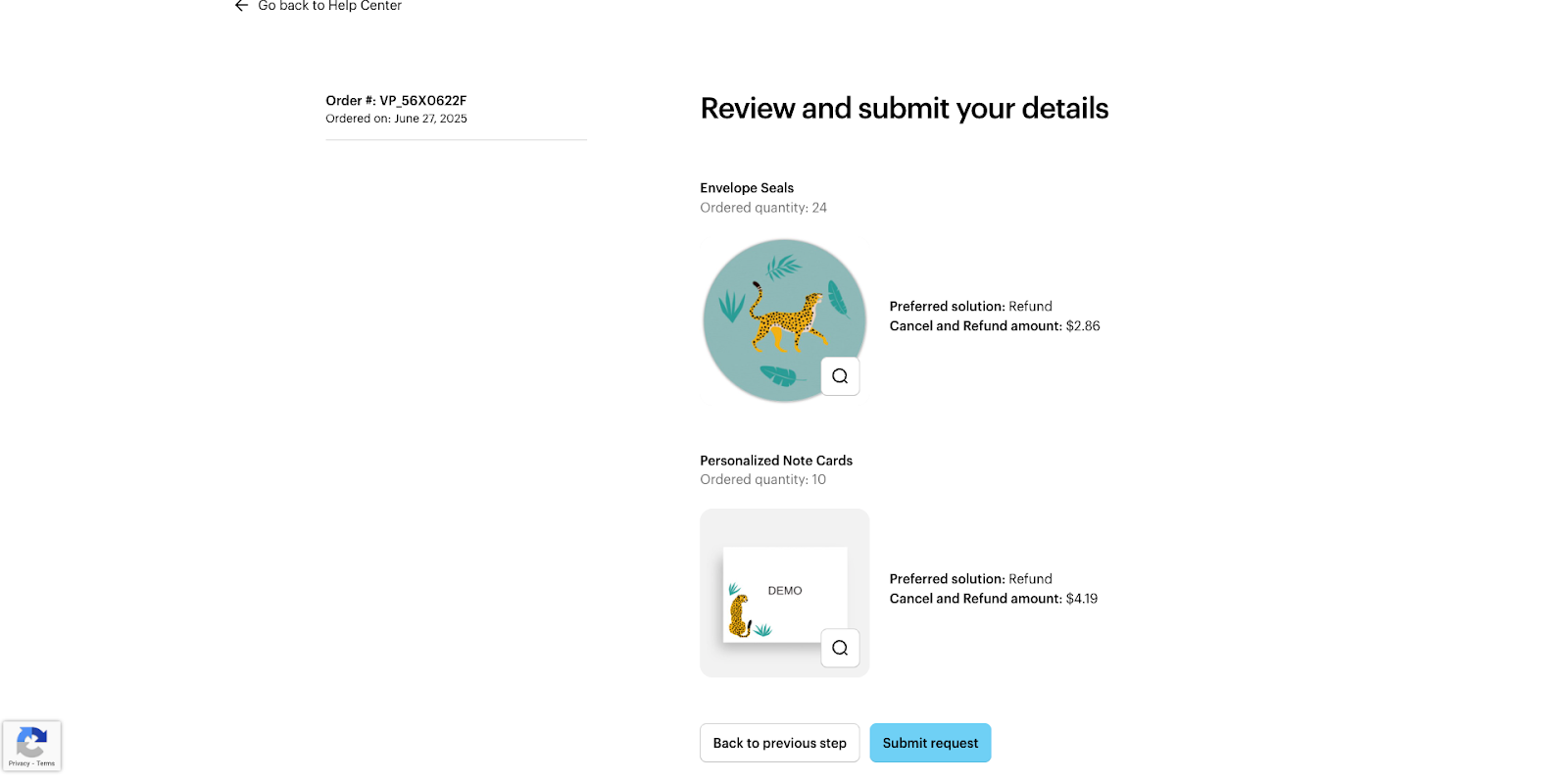
Review the details
Check that all the details of your request are correct. When you're ready, select "Continue to next step".
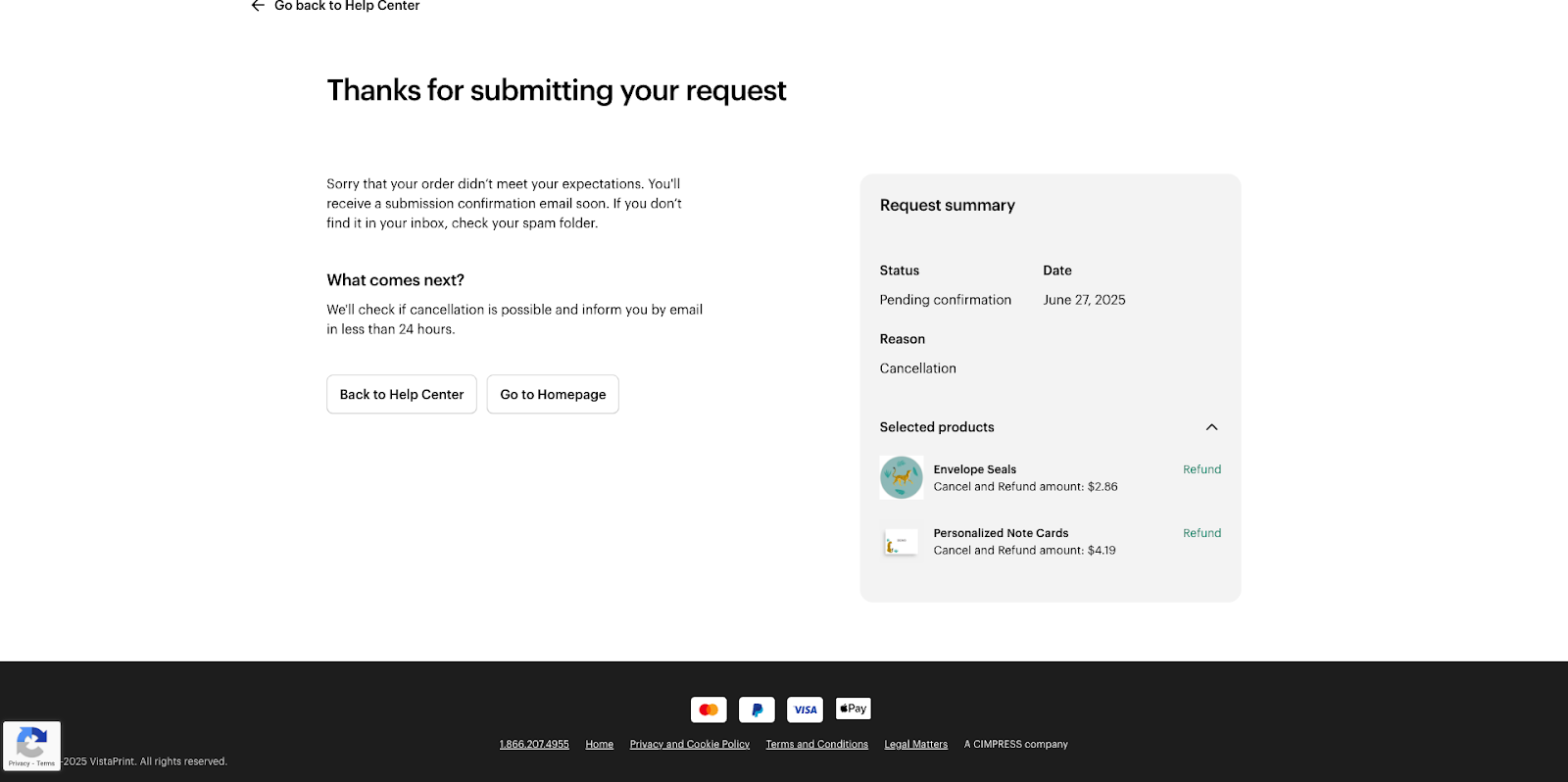
Wait for confirmation
You have now submitted your request. We'll send you a confirmation email to confirm we received it. We'll let you know within 24 hours if the order can be canceled.
What to expect during the cancellation process
After you've submitted your request, we send you 3 emails to keep you updated:
"Cancellation request received": This email confirms we have received your cancellation request and we're looking into it.
"Your items have been canceled": This email lets you know if your order could be canceled. If we can't cancel your order, we'll let you know too.
"Your refund is on the way": This email lets you know when your refund has been issued.

If you can't request a cancellation
Sometimes, you can't cancel through our Help Center. For example, you won't be able to cancel if:
Your item has already shipped or was canceled earlier.
The order was paid for with credits.
The order has already been refunded.
This type of product can’t be canceled.
If you're not able to request a cancellation, please contact us and we'll find a solution together.
