Steps to delete text
1
Select the text you want to delete
If you're working on a computer, you can hold down CTRL (Windows) or Cmd (Mac) to select multiple text fields at once.
2
Delete the text
In the text toolbar, select Delete or click the trash icon. The selected text is removed from your design.
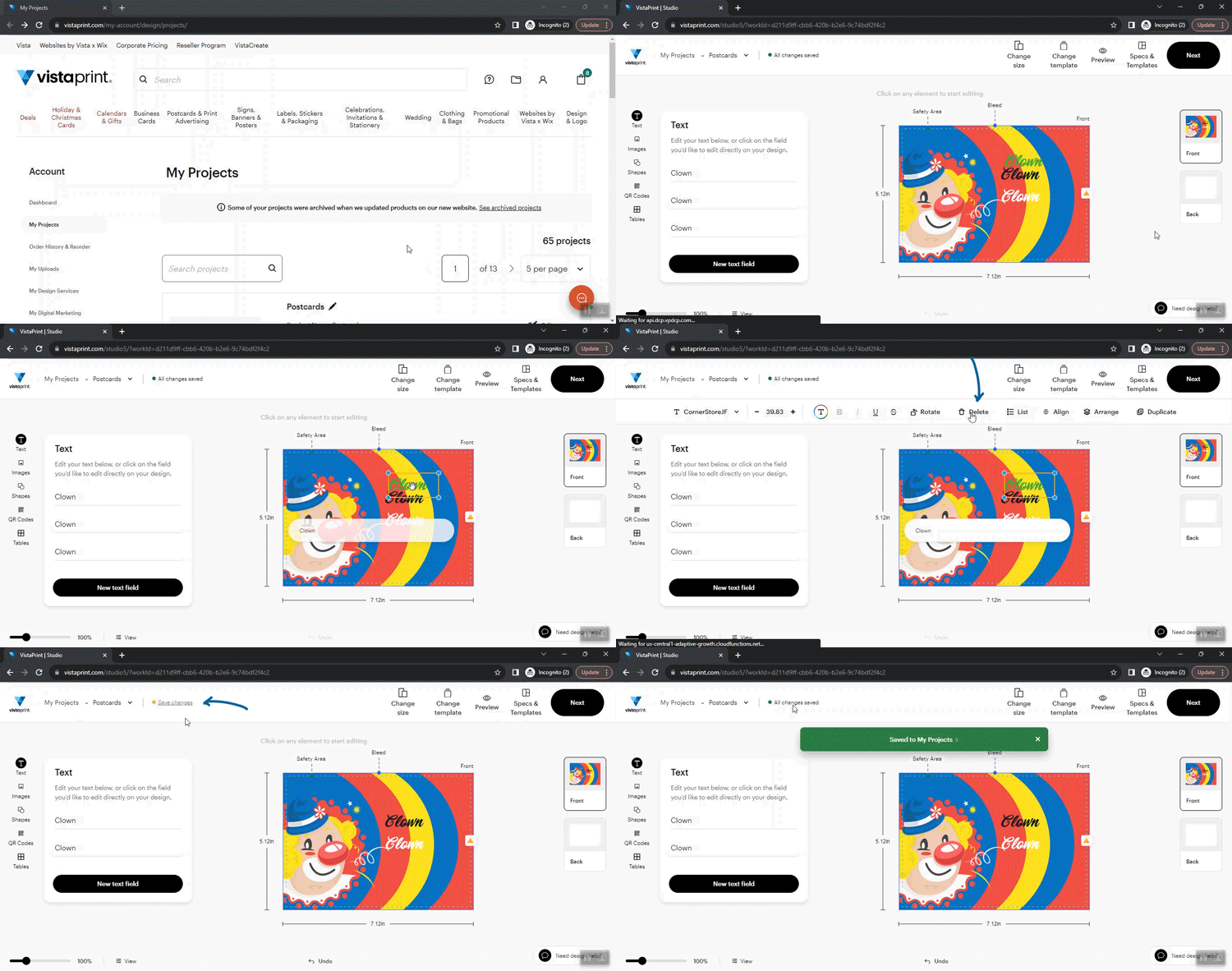
If you deleted text by mistake, use Undo to restore it. You can also add new text anytime using the Add text option.