Business cards are getting a trim. Mini formats are gaining ground – but why choose small business cards when the standard 3.5″ x 2″ format has worked for generations?
That’s exactly what this guide explores, from mini card dimensions and practical uses to the typography, layout and print rules that make the smaller format work.
- Mini business card sizes vary by printer; VistaPrint’s slim format measures 85 x 40 mm (3.35″ x 1.57″).
- The slim format feels current, can boost brand recall, uses less paper and takes up less space.
- Beyond networking, mini cards can double as package inserts, product hang tags and loyalty cards.
- Keep text at 8 pt or larger, respect bleed and safety areas and choose a paper stock suited to your design and use.
- Test mini cards with a small holiday or summer run before making the format a regular fixture.
What are mini business cards?
Mini business cards are compact business cards with a slim, elongated shape. Also called slim business cards, they communicate essentials such as your name, logo, limited contact info and, if useful, a QR code.
Mini business card size: dimension breakdown
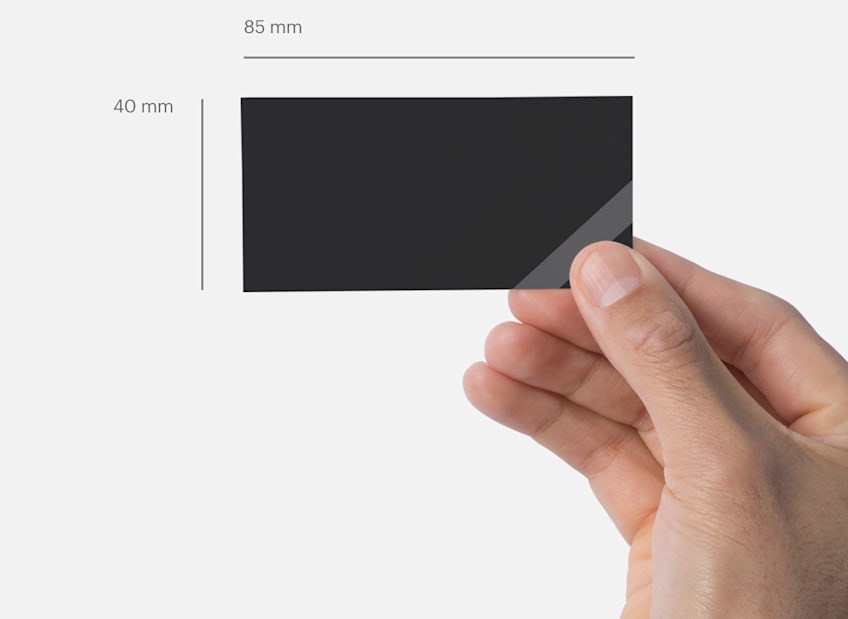
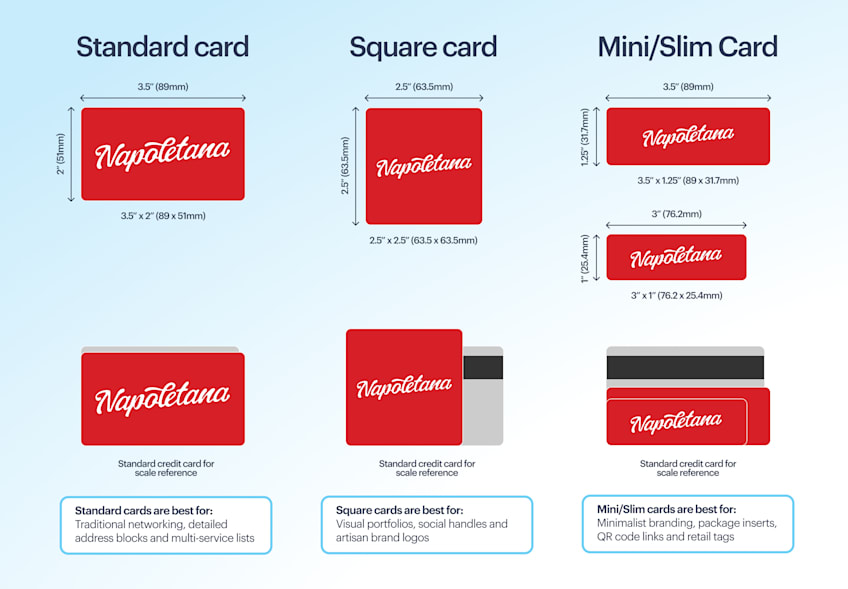
There’s no universal mini business card size, so dimensions vary by printer. Common slim formats range around 3–3.5″ long and 1–1.6″ wide.
VistaPrint’s slim business cards measure 85 x 40 mm (about 3.35″ x 1.57″), compared with its 85 x 55 mm standard cards.
| Format | Size in inches | Size in millimeters | Size at 300 DPI |
|---|---|---|---|
| Standard | 3.35″ x 2.17″ | 85 x 55 mm | 1004 x 650 px |
| Square | 2.56″ x 2.56″ | 65 x 65 mm | 768 x 768 px |
| Mini/slim | 3.35″ x 1.57″ | 85 x 40 mm | 1004 x 472 px |
Why choose mini business cards vs. standard business cards?
Standard cards offer more design room and suit almost any business. Mini cards earn their place when size itself becomes part of the brand experience.
Mini business cards can be easier to remember
An unexpectedly slim card feels different in hand, creating a tactile cue that can make it easier to pick out later.
For creative studios, boutiques, photographers and other visually led businesses, the proportions can also reinforce a distinctive brand identity.
Smaller cards use less paper
Each mini card uses less paper than its standard-sized equivalent, making it a natural fit for businesses already taking a considered approach to packaging and print materials.
Slim cards are compact and easy to carry
A minis stack takes up less room at trade shows, markets and pop-ups. The narrow shape also slips neatly into packaging, product pouches and other tight spaces.
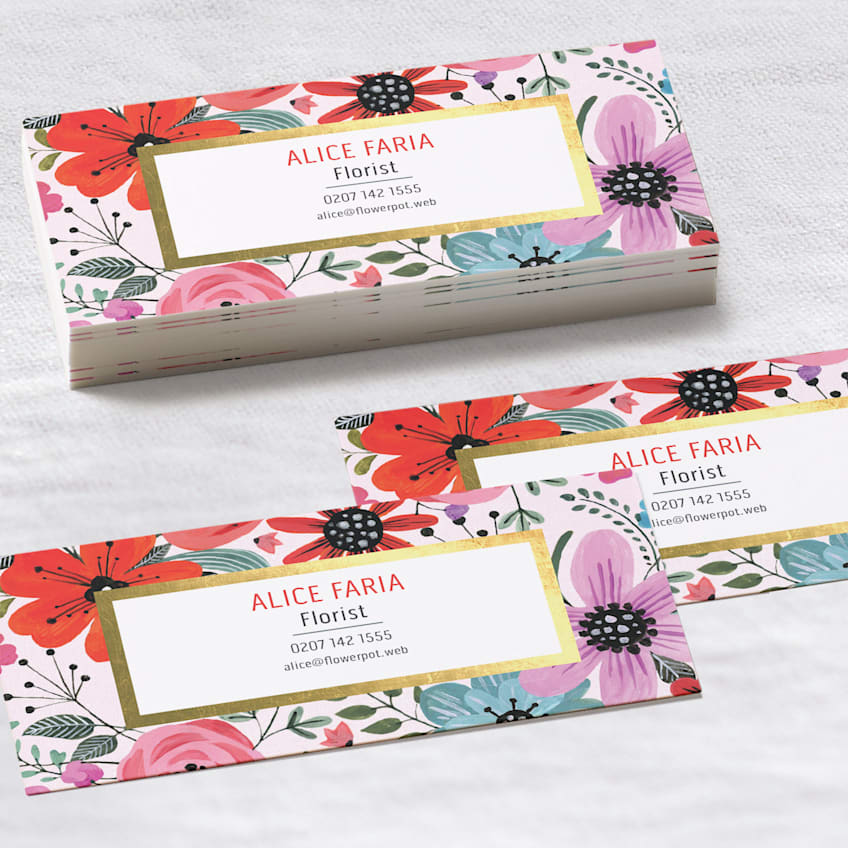
Mini cards tap into a growing design trend
Mini business cards are gaining attention as brands experiment with less conventional print formats. Their slim proportions can make printed materials feel current without requiring an elaborate design.
Learn about other business card trends and how to apply them to your existing brand.
Mini card vs. standard business card at a glance
Neither format wins by default. Choose based on your brand, content and intended use.
| Mini business card | Standard business card | |
|---|---|---|
| Best suited to | Streamlined designs and compact applications | Broad range of designs and uses |
| Design space | 38% smaller canvas | More room for information, catchy slogans or bold designs |
| Portability | Extra compact | Compact |
| Paper per card | Less | More |
| Overall feel | Current, less conventional | Classic, familiar |
3 creative ways to use mini cards beyond traditional networking
Networking is the obvious use, but mini cards also fit neatly into parcels, products and loyalty programs.
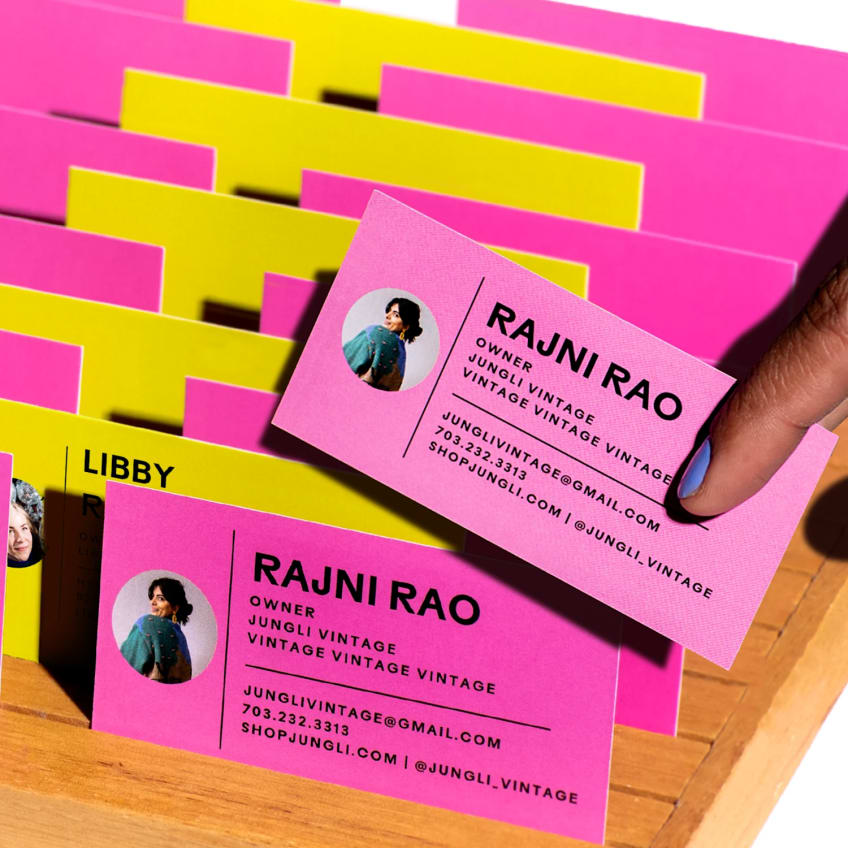
Add something useful to every e-commerce order
Mini cards make compact package inserts and can double as thank-you notes. Print a message or leave room for a handwritten one, then give customers one useful next step:
- Encourage a second purchase. Add a reorder QR code or next-order discount.
- Help with the product. Share a quick care, storage or first-use tip.
- Collect reviews. Link directly to the product review page rather than your homepage.
Tailor inserts to the customer. Give first-time buyers a welcome offer and returning customers a referral reward or VIP perk.
Turn mini cards into product hang tags and QR guides
Punch a hole, add string or ribbon and a mini card becomes a compact hang tag. A QR code can then handle information better kept online:
- Garment care or styling instructions
- Ingredients and product information
- Assembly or setup guides
- Product registration or warranty pages
Don’t shrink the QR code to reclaim space. Keep it at least 0.8″ x 0.8″ to maintain strong contrast. Scan your printed proof before ordering.
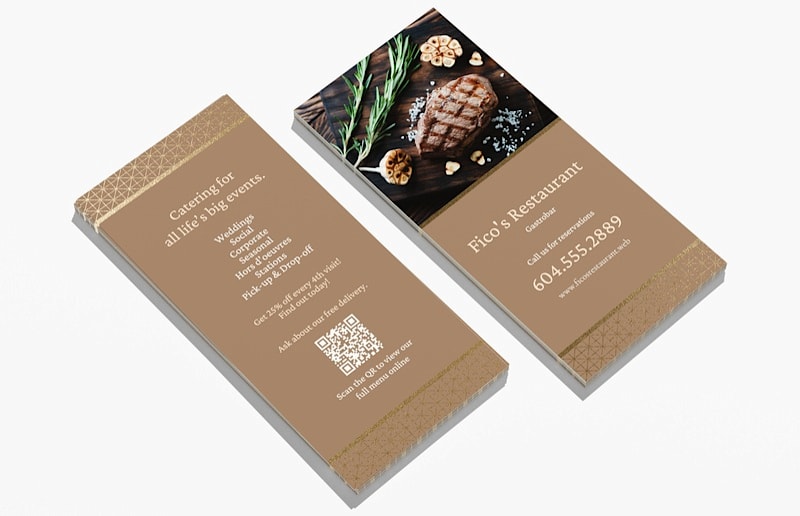
Make loyalty cards genuinely pocket-friendly
Mini cards make compact loyalty cards: add stamp or punch spaces for repeat visits, or a VIP discount code for returning customers.
Choose uncoated or matte stock for writing and stamping, then test your pen or stamp before ordering a full batch.
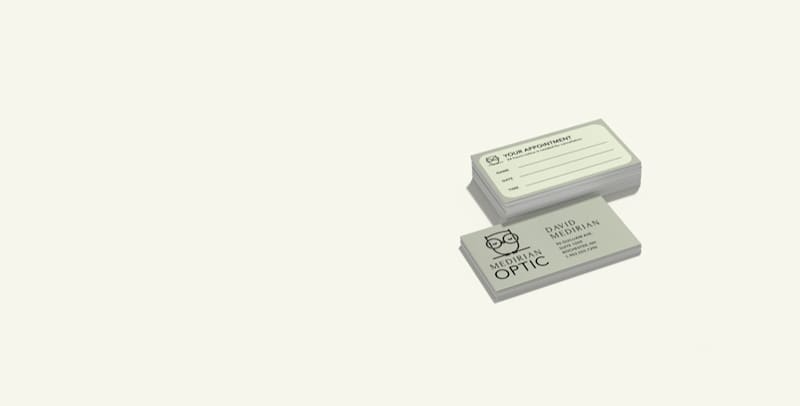
How to design high-impact mini business cards
Whatever you use your mini cards for, the smaller canvas needs a slightly different design approach. The core business card design rules still apply, with tighter editing, spacing and print setup.
Decide what deserves a place on your mini card
Prioritize what someone needs to identify you and take the next step:
- Your name and business name
- Your main contact method
- Your logo, if it aids recognition
- A website, social handle or QR code
If it won’t fit comfortably, use the back of the card or move secondary details online.
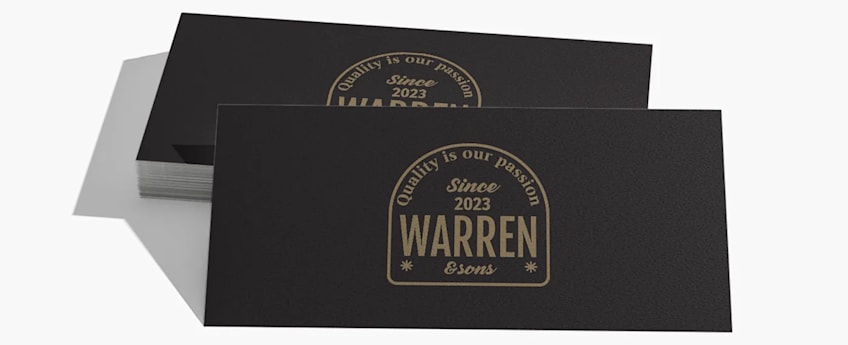
Keep every word comfortably readable
Keep body copy, phone numbers and email addresses at 8 pt or larger to stay legible in print. Stick to one or two complementary font families, using size and weight to create hierarchy.
If everything won’t fit without going below 8 pt, cut excess copy instead.
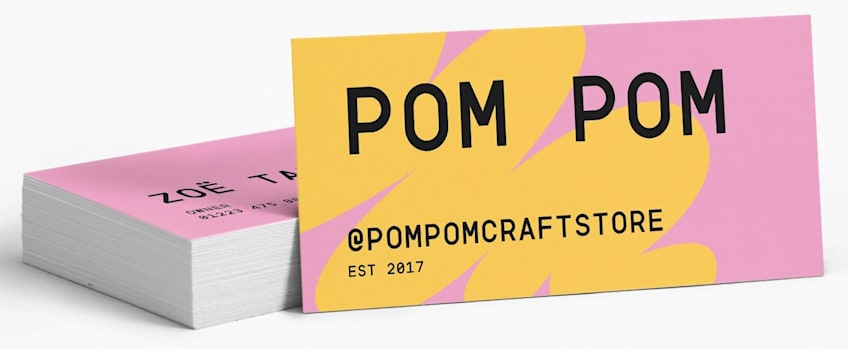
Check your proof at actual print size. A design that looks spacious at 200% can feel cramped once reduced to the slim card’s final dimensions.
Protect key details from the trim line
Extend edge-to-edge artwork through the bleed area and keep text, logos and QR codes inside the safety line.
For VistaPrint’s 85 x 40 mm slim cards, use:
| Area | Width | Height |
|---|---|---|
| Bleed | 89 mm (3.5″) | 44 mm (1.73″) |
| Trim | 85 mm (3.35″) | 40 mm (1.57″) |
| Safety | 81 mm (3.19″) | 36 mm (1.42″) |
That leaves 2 mm of bleed and 2 mm of safety space on each side.
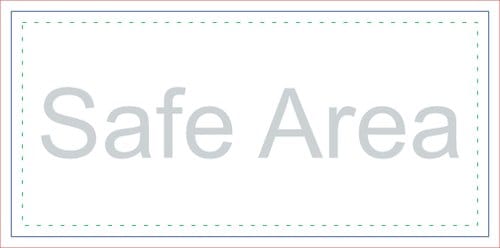
Use business card design tools with bleed, trim and safe-area guides, such as VistaPrint’s built-in editor, and set them up before you start designing.
Choose a stock that gives the small format substance
Lightweight paper can make a slim card feel flimsy, so start with 16 pt stock or premium heavy cardstock. If you’ll write or stamp on the card, prioritize writability over shine.
| Finish | Choose it for | Good to know |
|---|---|---|
| Matte | Clean designs and softer colors | Smooth, low-shine surface helps reduce fingerprints |
| Uncoated | Minimal designs and handwritten details | Tactile paper feel and easy to write or stamp on |
| Gloss | Photography and bold, saturated colors | Adds shine and helps colors appear more vivid |
Learn more about different types of business card paper in our guide.
Seasonal mini business card design ideas
Mini cards don’t have to replace your standard stack. A short seasonal print run is an easy way to experiment with the slim format when its unusual proportions can serve a specific campaign.
Turn the slim format into a holiday extra
The narrow shape works particularly well for tags and small package add-ons during November and December:
- Create gift tags. Punch one end for ribbon, then use the long layout for your logo and a short “To/From” area.
- Tuck offers into small packages. Add a January discount without squeezing a full-sized card into jewelry boxes or product pouches.
- Design festive bookmarks. Print branding at one end and a seasonal message or QR offer down the length.

Make mini cards part of your summer event kit
Markets, festivals and pop-ups create plenty of reasons to print a summer-only mini edition.
- Create market-hopping loyalty cards. Add a row of stamps and reward customers who find you at several summer events.
- Print festival-only offers. Tuck a slim discount card into purchases, with a code that expires after the event or summer season.
- Make mini product tags. Attach them to seasonal products, with a QR code linking to available colors, sizes or the rest of your summer collection.
- Add them to samples. Pair small food, beauty or product samples with a mini card carrying the product name and a QR code to buy the full-size version.
Check out creative business card ideas and browse VistaPrint business card templates for design inspiration, then simplify your chosen layout to suit the mini format.
Ready to give mini business cards a try?
Mini business cards are a trend worth experimenting with, and you don’t have to replace your standard cards to join in. Test a small run for an event, seasonal campaign or specific customer touchpoint, follow the mini-format design rules and see how the format works for your brand.
FAQs about mini business cards
Do slim business cards fit in standard wallets and cardholders?
Usually, but check the dimensions offered by your printer against the holder you plan to use. VistaPrint’s 85 x 40 mm slim cards fit standard business card holders, despite their narrower profile.
Should mini business cards be horizontal or vertical?
Either orientation can work, but the narrow proportions behave very differently. Horizontal layouts suit names, contact details and long logos, while vertical designs give you a taller, more unusual composition that works well with stacked typography or a centered QR code. Choose the orientation around your content rather than rotating a finished standard-card design.
Should you print on both sides of a mini business card?
Usually, yes, if you have more than a few essential details to share. Separating information across two sides keeps the mini format readable: for example, use the front for your logo and name, then reserve the back for contact details or a QR code.
Can mini business cards have rounded corners?
It depends on the printer and format, so check before designing around them. VistaPrint’s slim business cards currently come with standard corners only.
Are recycled paper options available for mini business cards?
Availability depends on your printer. VistaPrint offers recycled matte and textured uncoated options made from 100% post-consumer recycled paper, giving businesses a recycled-paper option without switching back to a standard card format.